Testimonial Collection Feature - User Instructions
Table of Contents
- Overview
- Your Personal Testimonial Link
- Sharing Your Link
- What Your Clients Experience
- Receiving Testimonials
- Frequently Asked Questions
Overview
The Testimonial Collection feature allows you to gather professional client reviews through a simple, guided process. Each agent has a unique URL that clients can visit to submit their feedback, which is then transformed into a polished testimonial.
Key Benefits
- Easy for clients to complete (2-3 minutes)
- Professional, well-written testimonials
- Works on mobile and desktop
- Spam protection built-in
- Email notifications when reviews are submitted
Your Personal Testimonial Link
Your unique testimonial collection URL follows this format:
https://mypropertyhub.io/testimonial/[your-agent-id]
For example: https://mypropertyhub.io/testimonial/9675330
Finding Your Link
Your personal testimonial link can be found in two places:
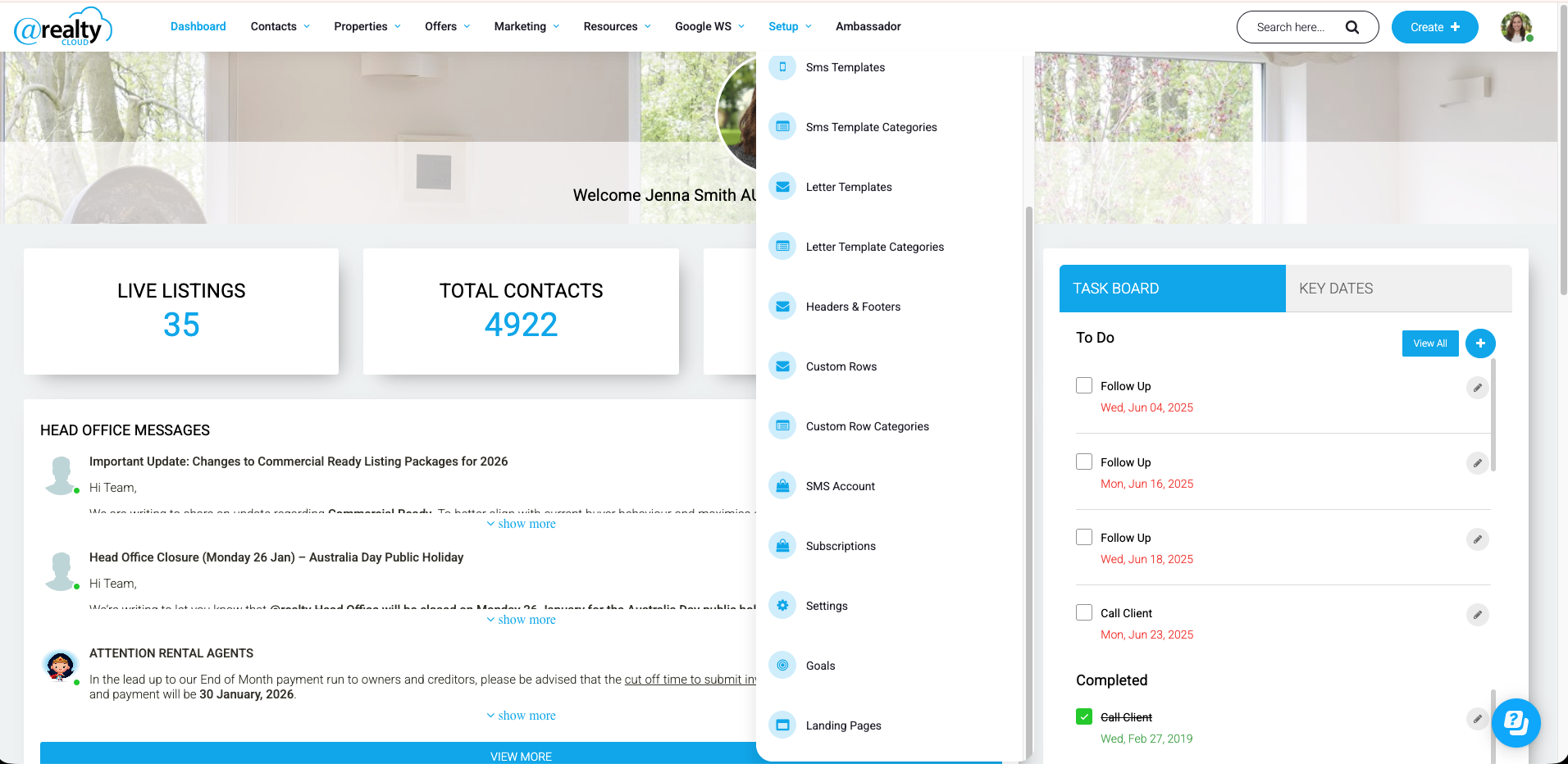
- Landing Pages - Visit your 'Landing Pages' page in the CRM to find your link
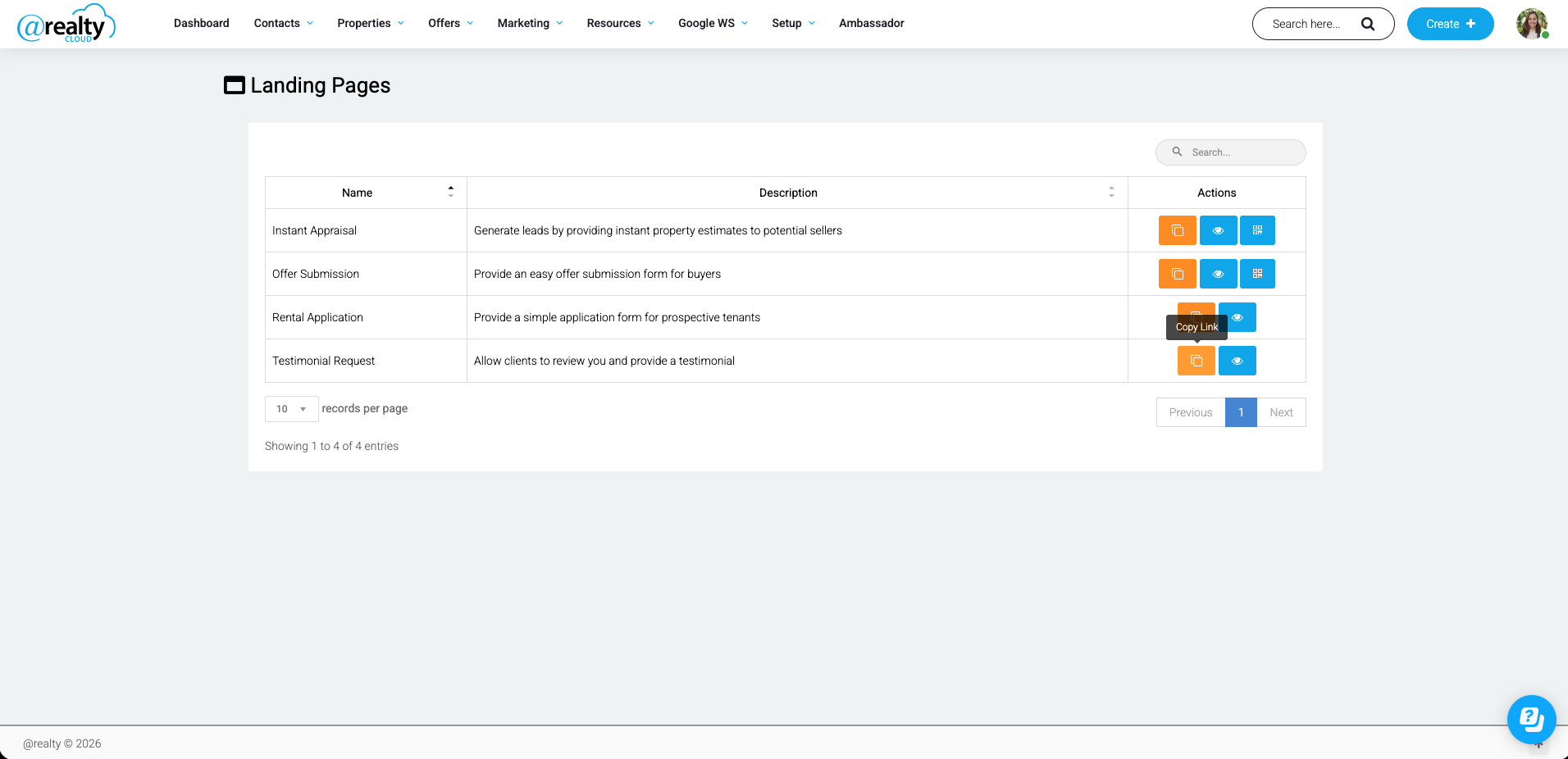
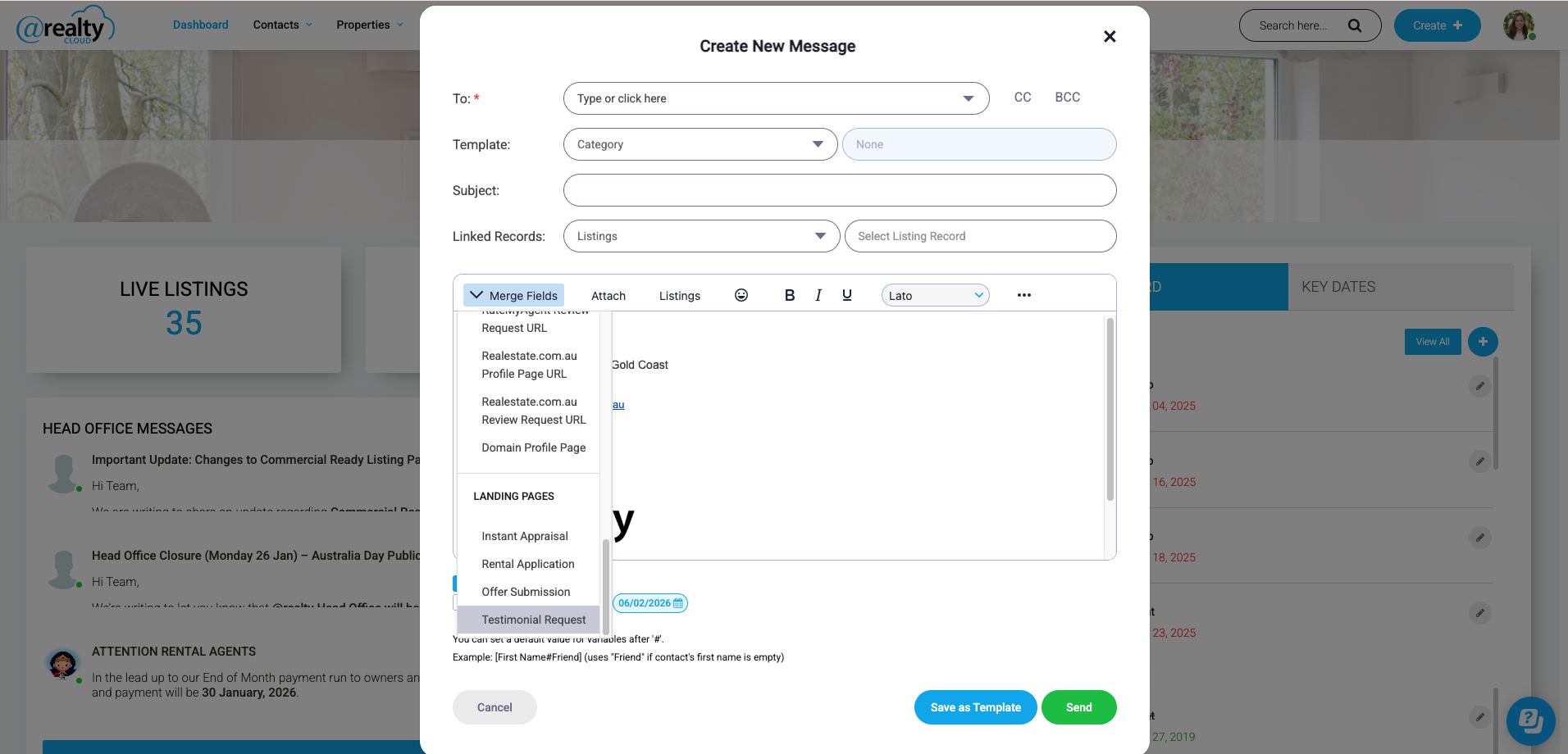
- Email Merge Field - When sending emails from the CRM, use the testimonial link merge field to automatically insert your personal link.

Sharing Your Link
When to Share
The best time to request a testimonial is:
- Within 1 week of settlement (for buyers/sellers)
- After a positive rental experience (for tenants)
- During annual reviews (for landlords)
How to Share
Via Email
Subject: Would you share your experience?
Hi [Client Name],
It was a pleasure working with you on [property address/transaction].
If you have a moment, I'd really appreciate it if you could share your experience.
I've made it easy - just click the link below and follow the simple steps:
[Your Testimonial Link]
It only takes 2-3 minutes and your feedback means a lot to me.
Thank you!
[Your Name]
Via SMS
Hi [Name], thank you for choosing me as your agent! If you have 2 minutes,
I'd love to hear about your experience: [Your Link]
In Person
After a successful settlement meeting, mention that you'll send them a quick link to share their experience.
What Your Clients Experience
When a client visits your testimonial link, they go through the following steps:
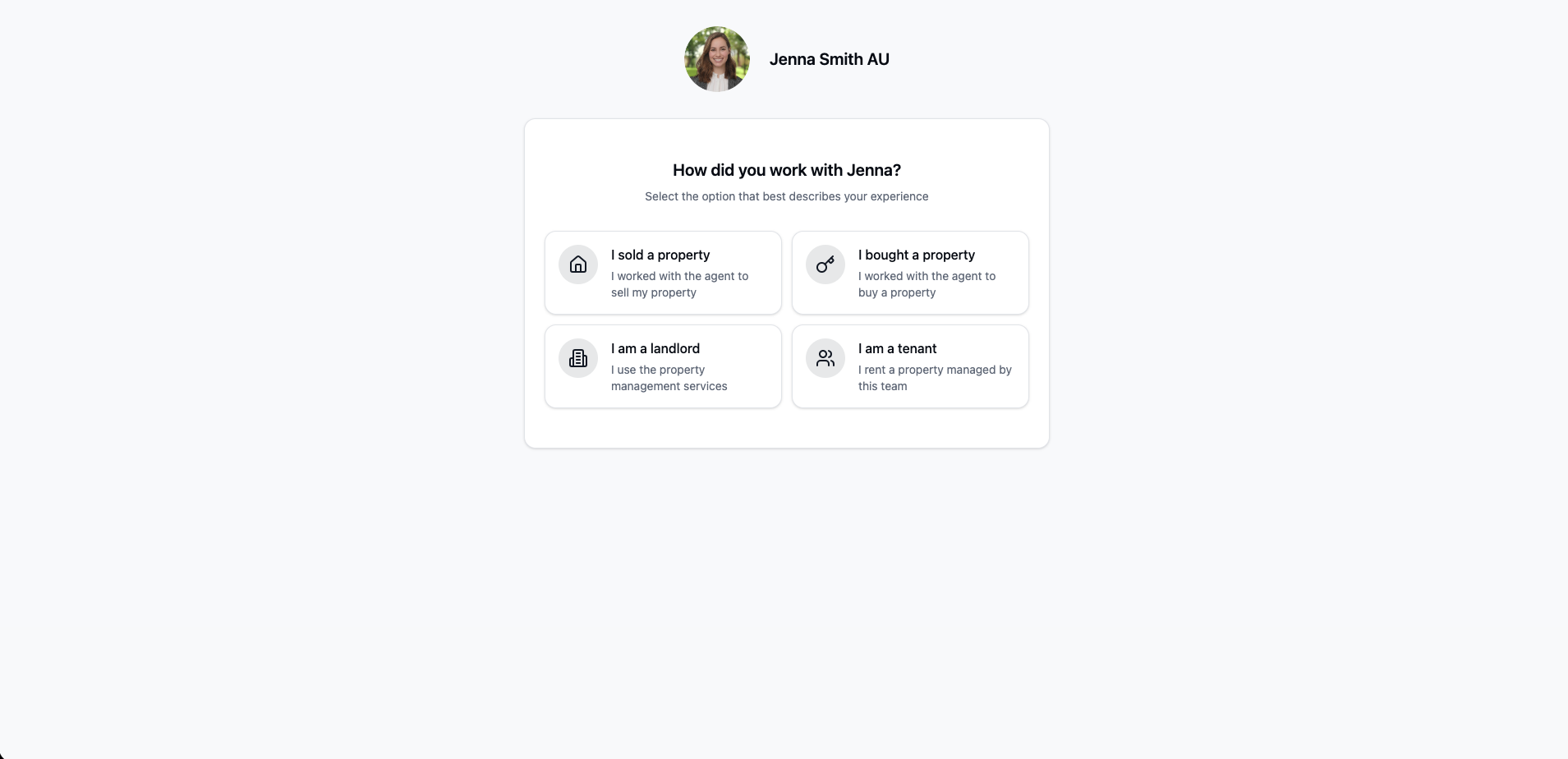
Step 1: Select Their Role
They choose how they worked with you:
- I sold a property
- I bought a property
- I am a landlord
- I am a tenant
Step 2: Rate Their Experience (5 Questions)
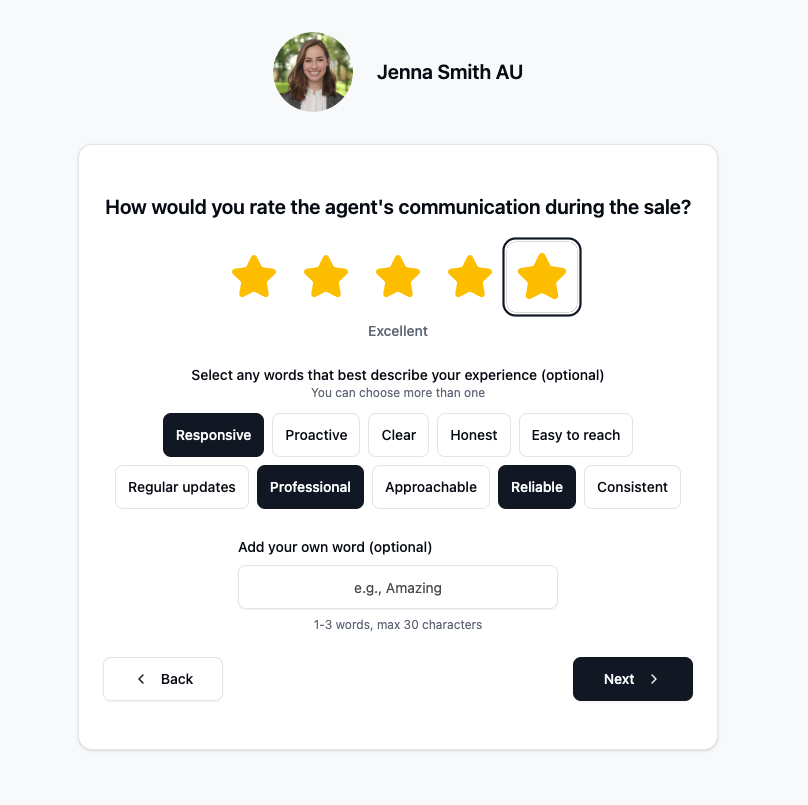
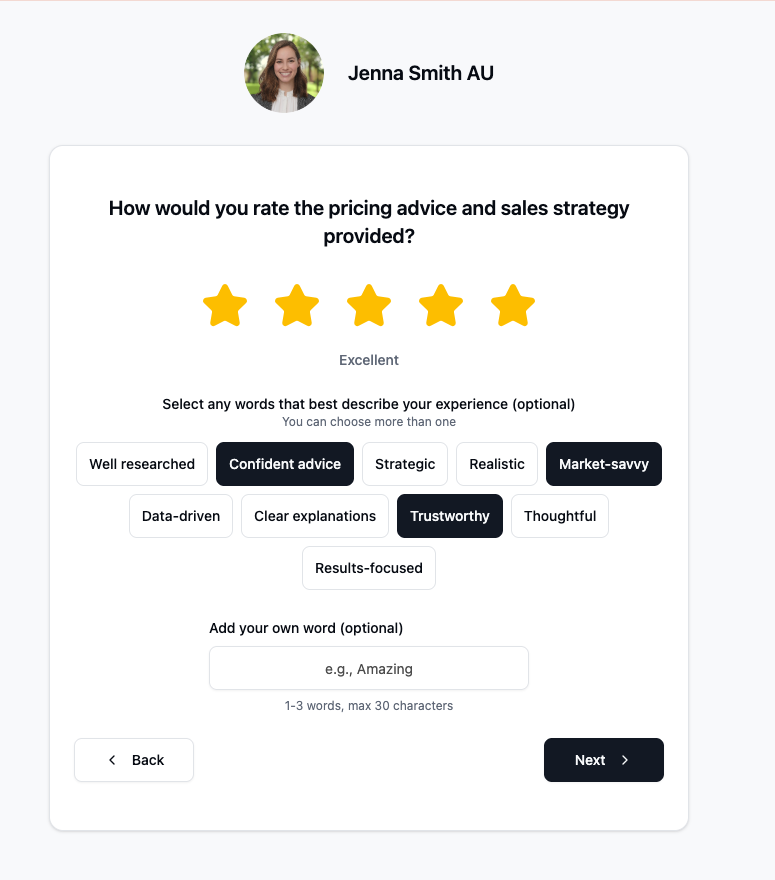
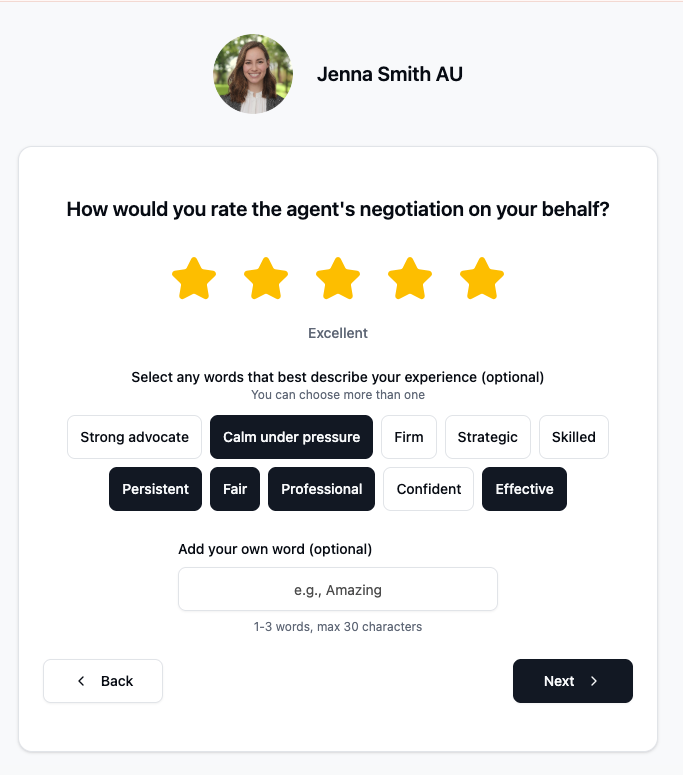
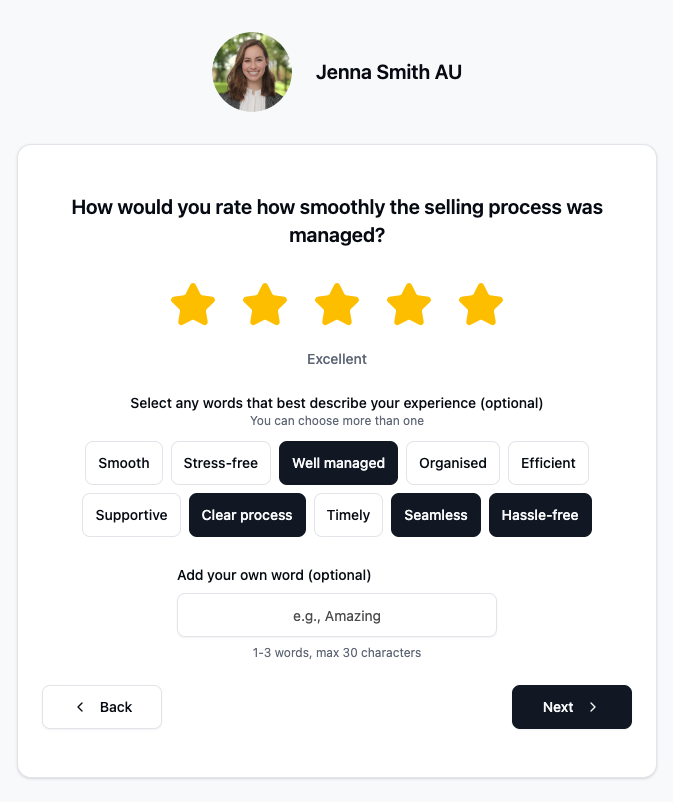
They answer 5 tailored questions based on their role. For example, sellers are asked about:
- Communication during the sale
- Pricing advice and sales strategy
- Negotiation skills
- Process management
- Overall satisfaction with the outcome
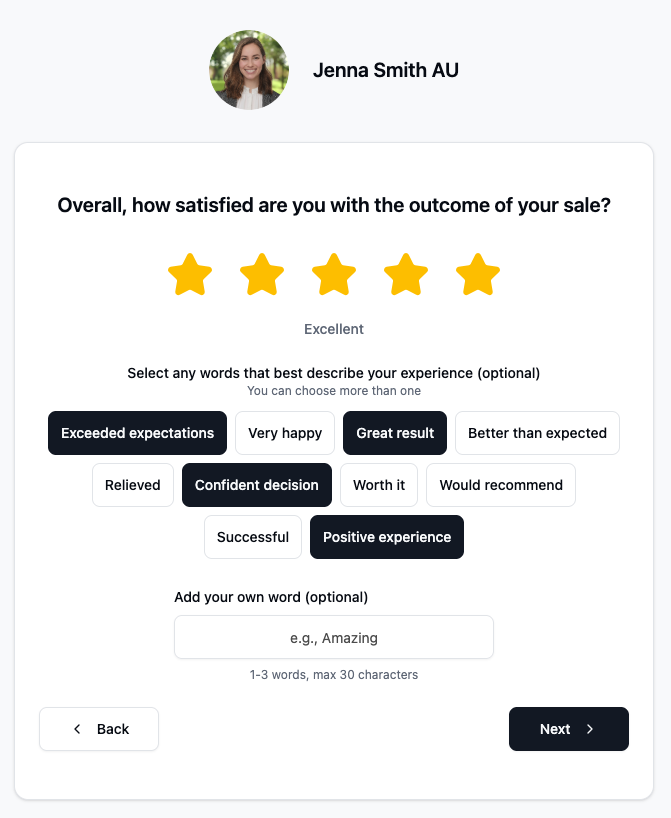
For each question, they:
- Give a star rating (1-5 stars)
- Optionally select keywords that describe their experience (e.g., "Responsive", "Professional", "Exceeded expectations")
- Optionally add their own word
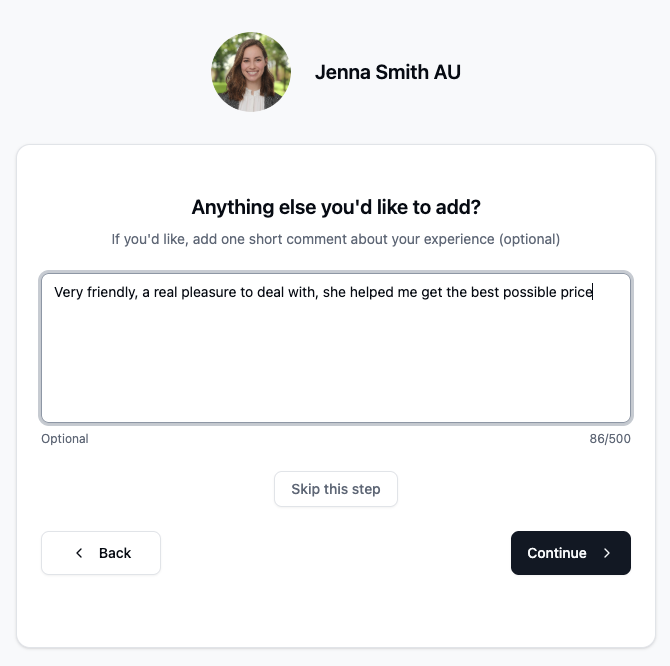
Step 3: Add Comments (Optional)
They can add any additional thoughts or specific details they'd like to mention.
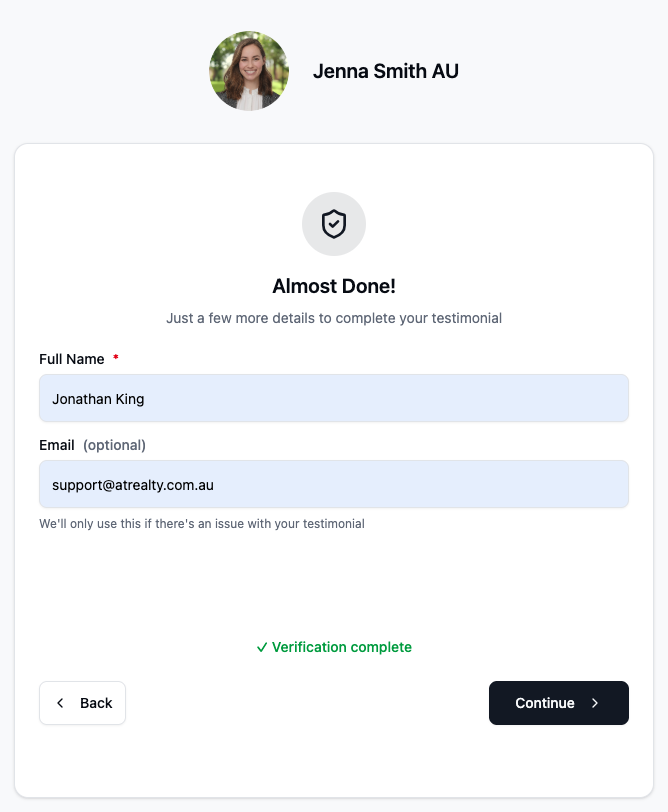
Step 4: Verification
An invisible security check runs in the background to ensure the submission is legitimate. Your clients won't see or interact with any CAPTCHA.
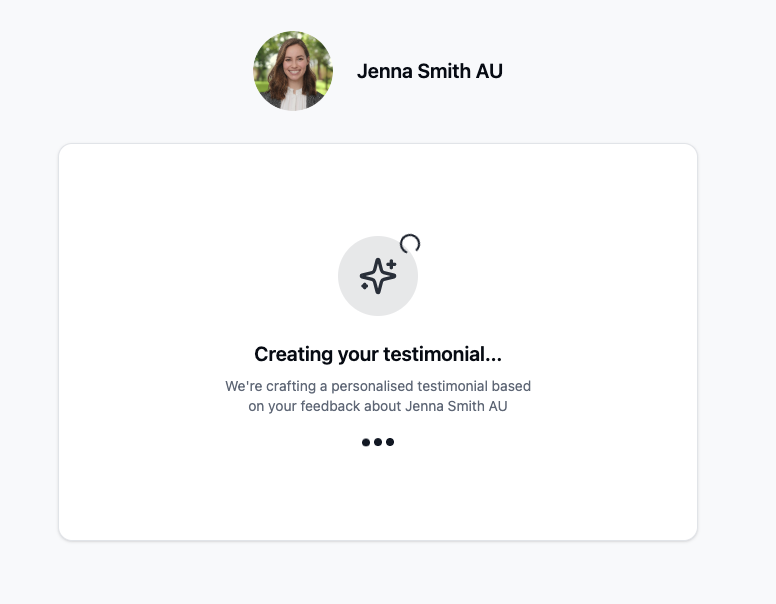
Step 5: Review Generated Testimonial
The system generates a professional testimonial based on their feedback. This includes:
- A full testimonial (100-160 words)
- A short quote (1-2 sentences) perfect for marketing
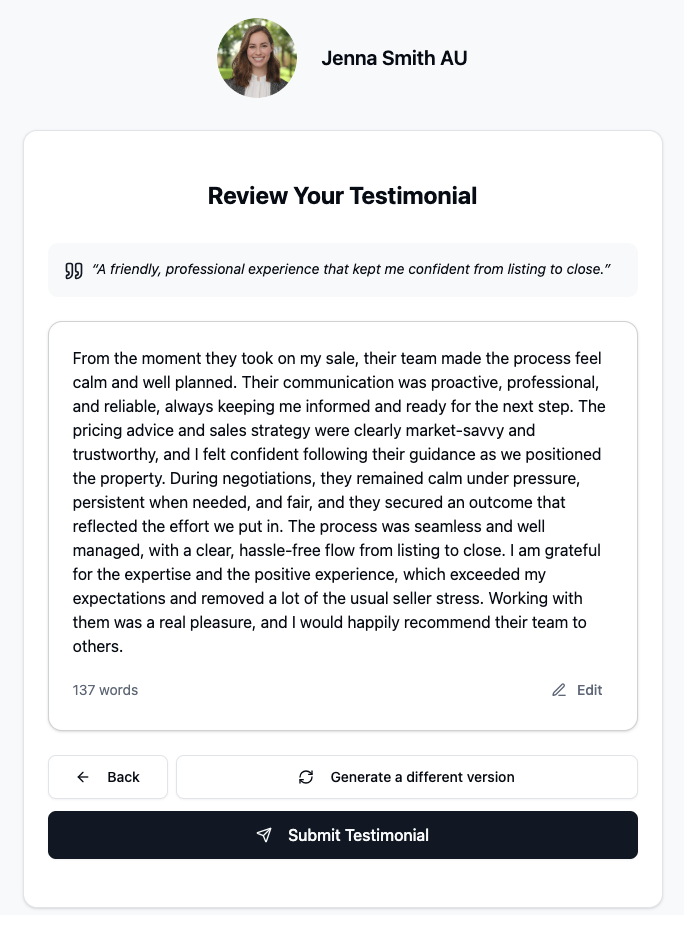
They can:
- Edit the testimonial if they want to change wording
- Regenerate if they'd like a different version
- Approve and submit when they're happy
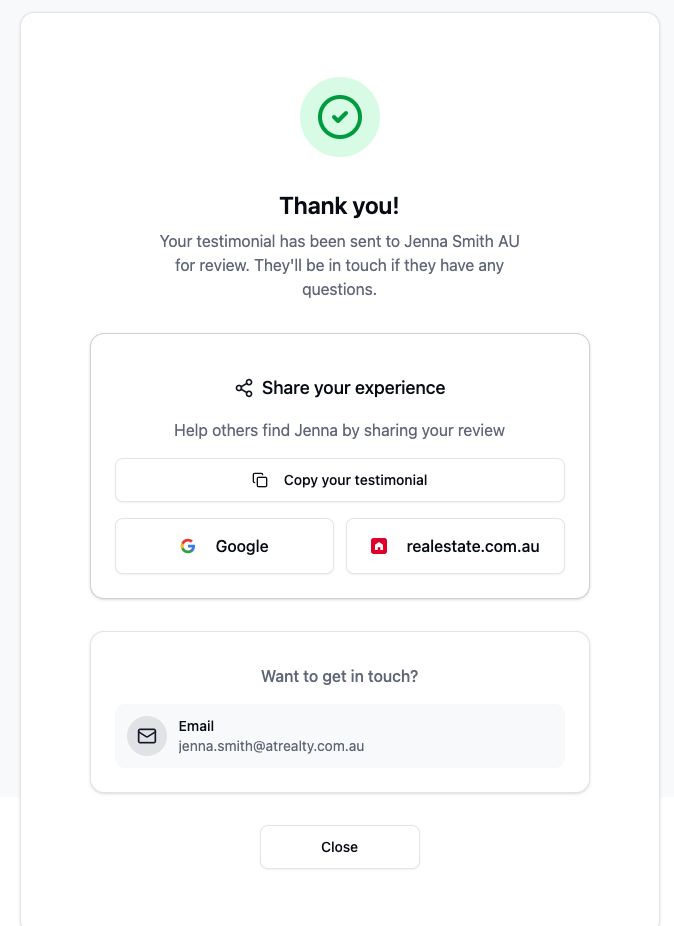
Step 6: Confirmation
After submission, they see:
- A thank you message
- Your contact details
- For high ratings (4-5 stars): Links to also leave reviews on Google, Rate My Agent, and REA
Receiving Testimonials
Email Notifications
When a client submits a testimonial, you receive an email containing:
- The client's name
- Their star ratings
- The full testimonial text
- The short quote
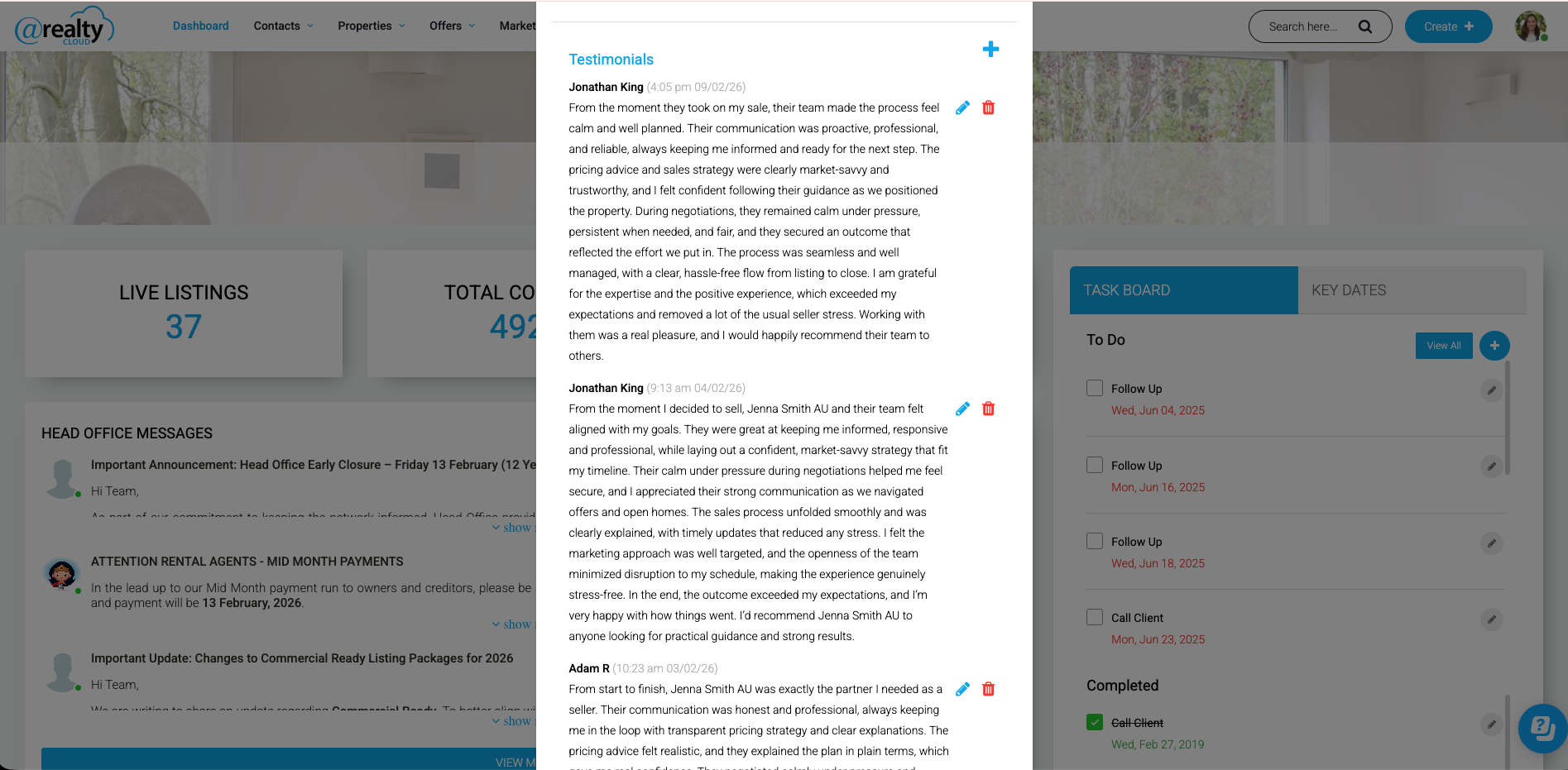
Automatic Addition
Testimonials are automatically added to your profile - no manual approval required. You'll receive an email notification so you're always aware of new reviews.
How do I connect my REA & Google Account?
To setup the review manager you need your Google Review link & REA Review link.
Google my Business
To get your review link from Google you need to be logged into your Google my business profile.
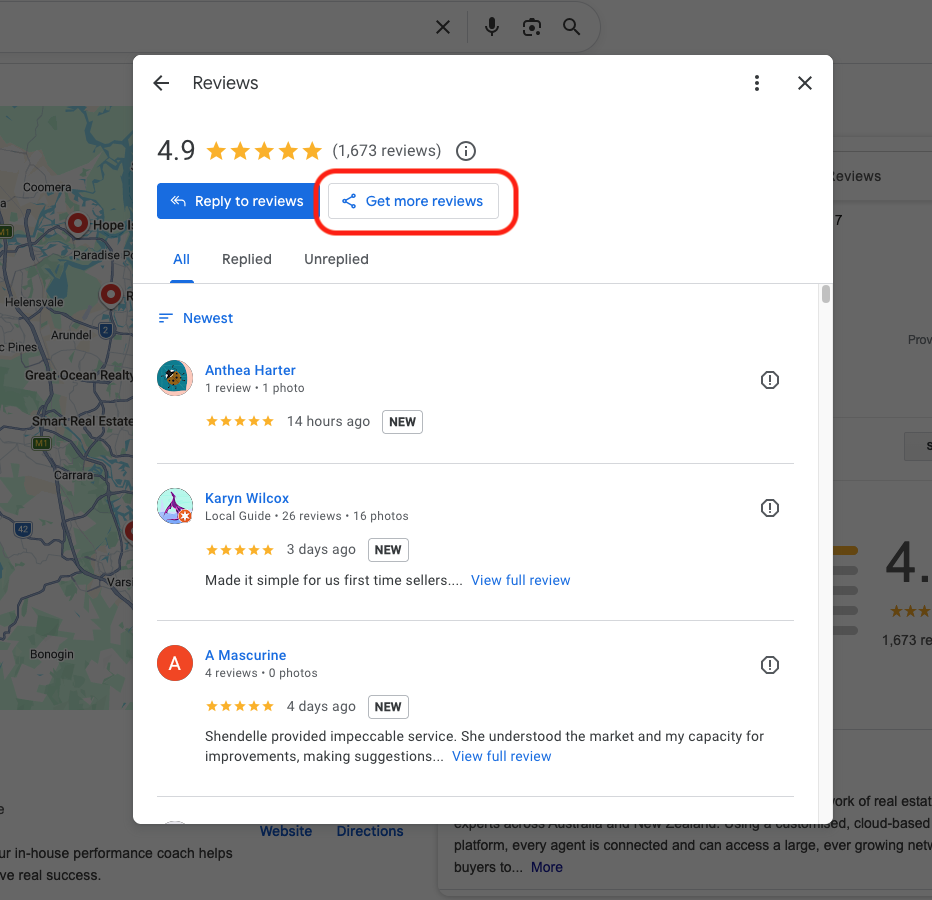
Go to your business page in Google, click on manage your reviews.
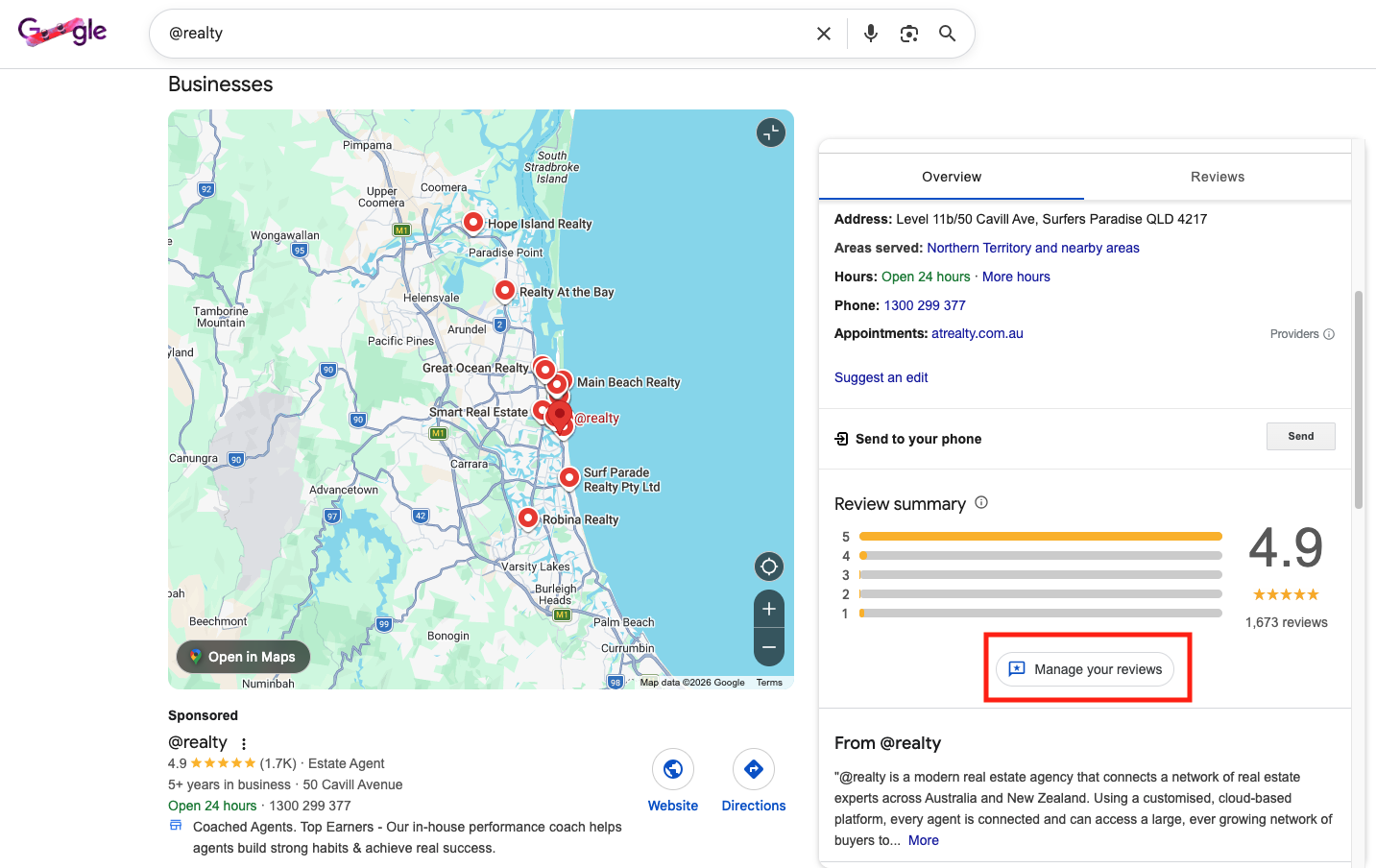
You have to have the page setup first, go in and manage, click get more reviews.
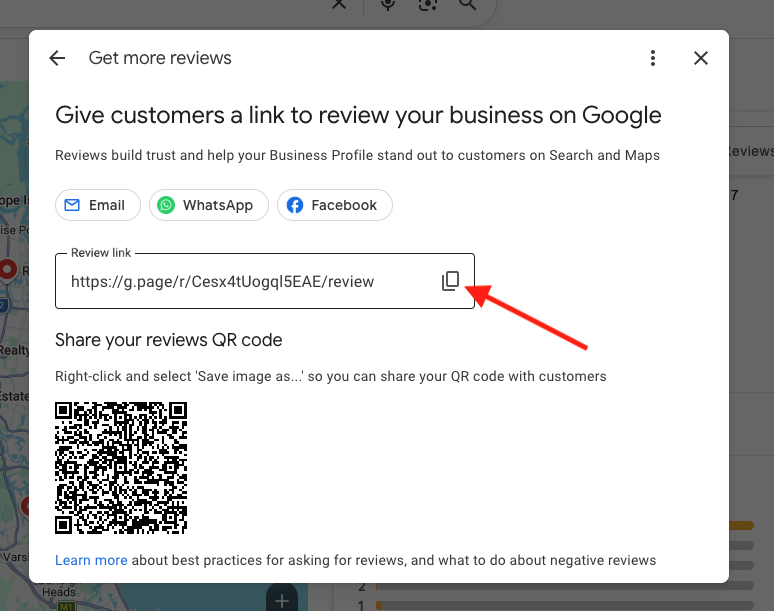
Get link by clicking copy.
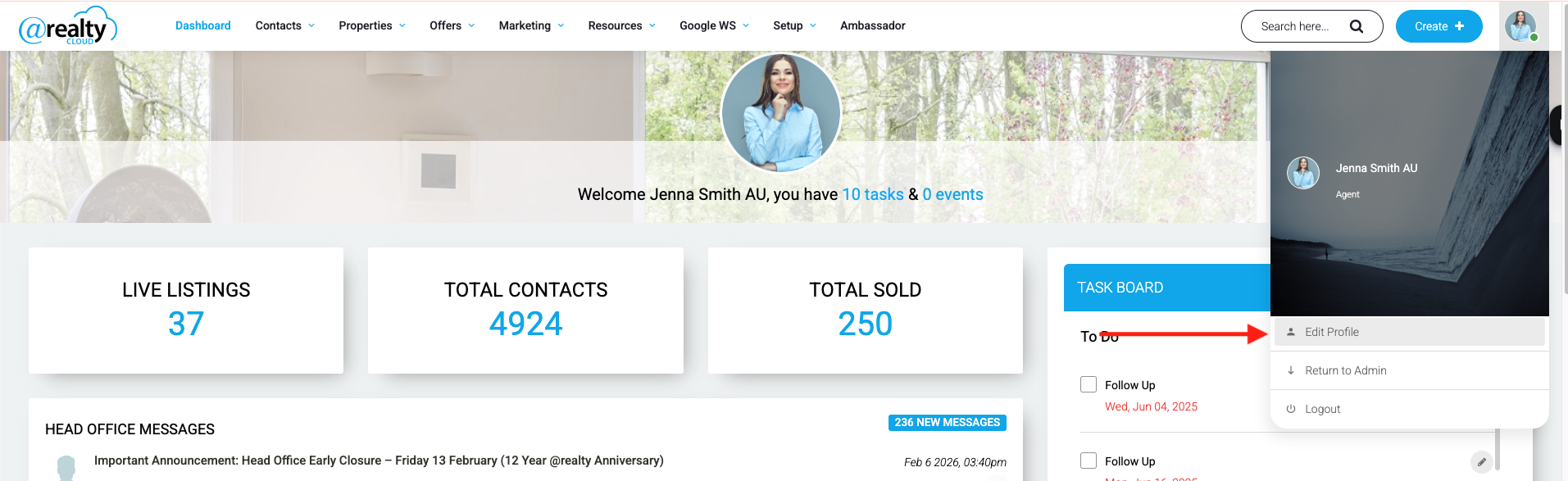
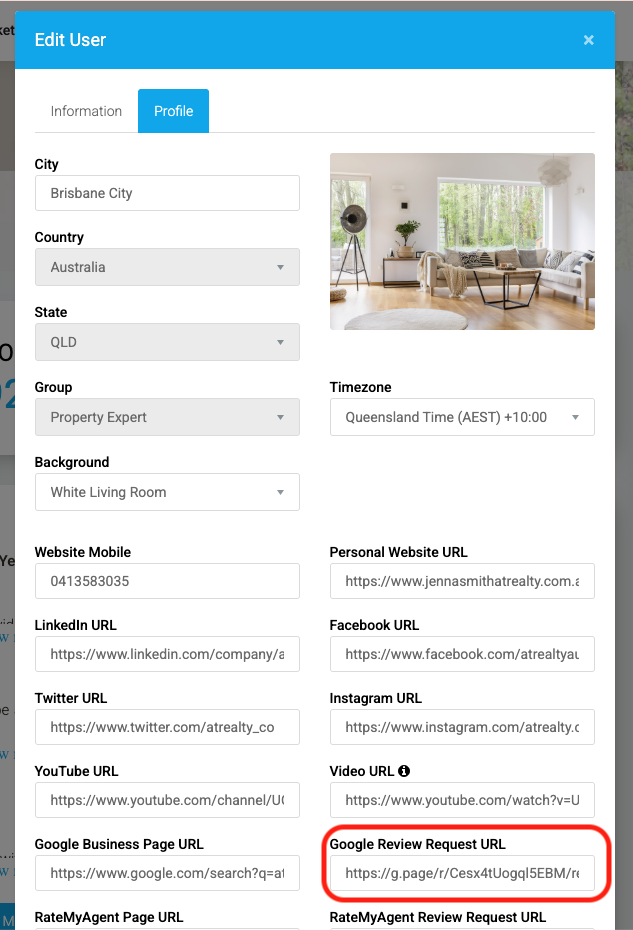
Go to the @realty CRM, Click on your profile, click edit profile.
Choose profile.
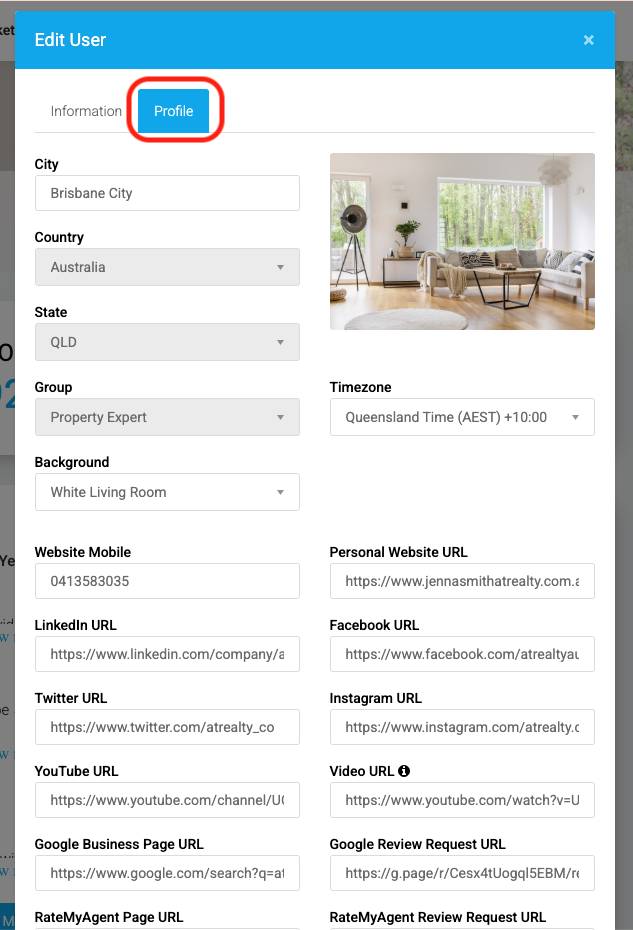
Paste the review link into "Google Review Request URL not Google Business Page URL.
REA
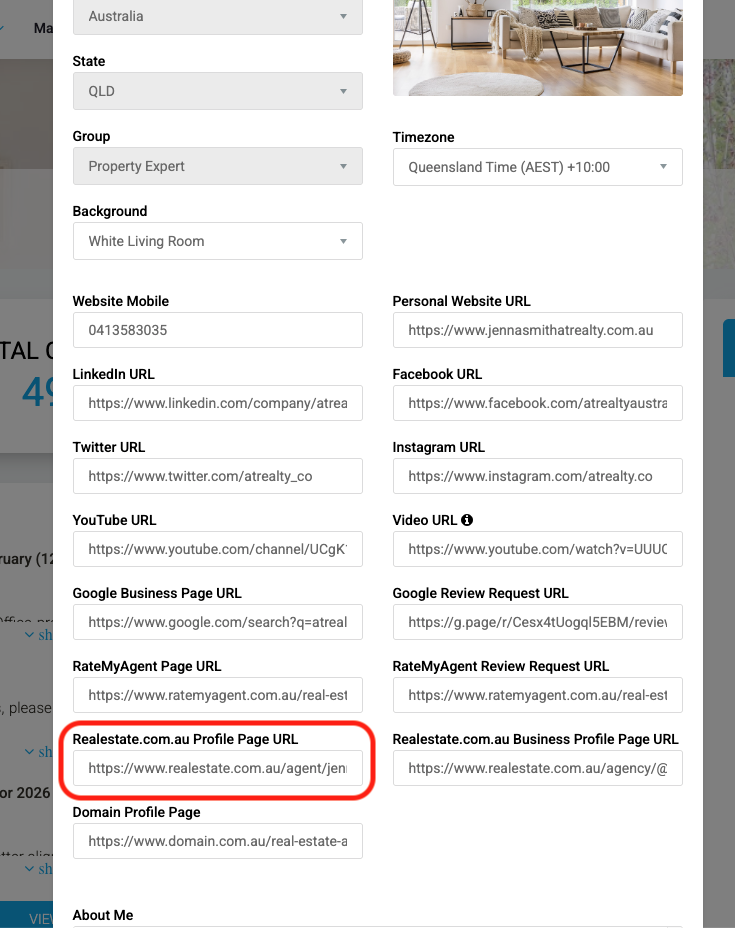
For Your REA link you will need to have an active REA profile and have made a recent sale, once you have had a sale REA will send you a review link, to access the link from your desktop you need to log into Ignite. https://ignite.realestate.com.au/
Once you have your REA Review link you need to paste this into the CRM in your Profile in the Realestate.com.au Profile Page URL URL not Realestate.com.au Business Profile Page URL.
Frequently Asked Questions
Can clients edit the generated testimonial?
Yes! Before submitting, clients can freely edit the generated text to make it more personal or accurate.
What if a client gives a low rating?
The system still generates a testimonial, but it will reflect their experience honestly. You receive the feedback privately and can choose not to publish it.
Is there a limit to how many testimonials someone can submit?
To prevent spam, there's a rate limit of 3 submissions per hour from the same device/location. This shouldn't affect legitimate use.
Do clients need to create an account?
No. The testimonial form is completely public and doesn't require any login or account creation.
What information do clients need to provide?
- Their name (required)
- Email address (optional)
- Their ratings and feedback
Can I customise the questions?
The questions are standardised to ensure consistent, high-quality testimonials. They are tailored based on the client type (seller, buyer, landlord, tenant).
How long does the process take?
Most clients complete the process in 2-3 minutes.
Is the page mobile-friendly?
Yes! The testimonial page is fully responsive and works on all devices.
What happens if my client closes the page before finishing?
Unfortunately, progress is not saved. They would need to start again. This is why the process is kept short.
Can I track who has submitted a testimonial?
You receive an email notification for each submission with the client's name and feedback.
Click Here to Watch Instructional Video
Click here to watch The Webinar
Need Help?
If you have questions about the testimonial feature or need assistance, contact @realty support.
Last updated: January 2026
Was this article helpful?
That’s Great!
Thank you for your feedback
Sorry! We couldn't be helpful
Thank you for your feedback
Feedback sent
We appreciate your effort and will try to fix the article