Agents that operate with a full license or corporate license are required to have their own Privacy Policy, not @realty's.
Introducing the Privacy Policy Generator
To make compliance effortless, we have launched a Privacy Policy Generator. This tool is specifically designed for our non-@realty partners to ensure they meet legislative requirements instantly.
• Generate a Custom Policy: Tailored to your specific agency.
• Instant QR Code: Automatically creates a QR code for display at Open for Inspections.
• Downloadable PDF: Get a physical copy for your office or listing kits.
• Digital Link: A hosted link ready to be inserted into email signatures and websites.
Access the Privacy Policy Generator Here
WHERE to Display Privacy Information
Privacy information must be visible at every "touchpoint" where a member of the public provides personal details:
- Open for Inspections (OFIs): A physical copy or a clear QR code link to the Privacy Collection Notice must be displayed at the entry or check-in desk.
- Physical Documentation: Any printed forms, including appraisal forms, listing agreements, or manual contact forms.
- Digital Platforms: * Websites & Email Signatures: Include a link to the Privacy Policy in your footer and standard signature.
- Social Media: If using "Lead Gen" forms (Facebook/Instagram), the link must be embedded.
- Office Locations: Notices should be clearly visible in reception areas.
HOW to Display for "Informed Consent"
- The Privacy Collection Notice (Short Form): A brief statement used at the point of collection (e.g., an OFI register).
- "The Full Privacy Policy (Long Form): Accessible via a link or printed document for those who wish to read the full details of data management.
- Example: "By providing your details, you consent to [Agency Name] collecting your information to provide real estate services. Our full Privacy Policy can be found at [Link].
- The Full Privacy Policy (Long Form): Accessible via a link or printed document for those who wish to read the full details of data management.
- QR Codes (Preferred): For paperless compliance, display a QR code at open homes linking directly to your policy page.
Why This Matters
Failure to comply can lead to significant regulatory fines. Maintaining these standards ensures:
Trust: Clients feel secure knowing their data is handled professionally.
Legal Protection: Protects the individual agent and the brand from breaches.
Data Quality: Clarifies your right to use data for marketing (provided an opt-out is available).
? Action Items for Agents
@realty Agents: Review your Open Home kits and digital profiles today. Ensure the link to https://www.atrealty.com.au/privacy-policy/ is clearly visible.
Agents that operate with a full license or corporate license are required to have their own Privacy Policy, not @realty's.
Instructions
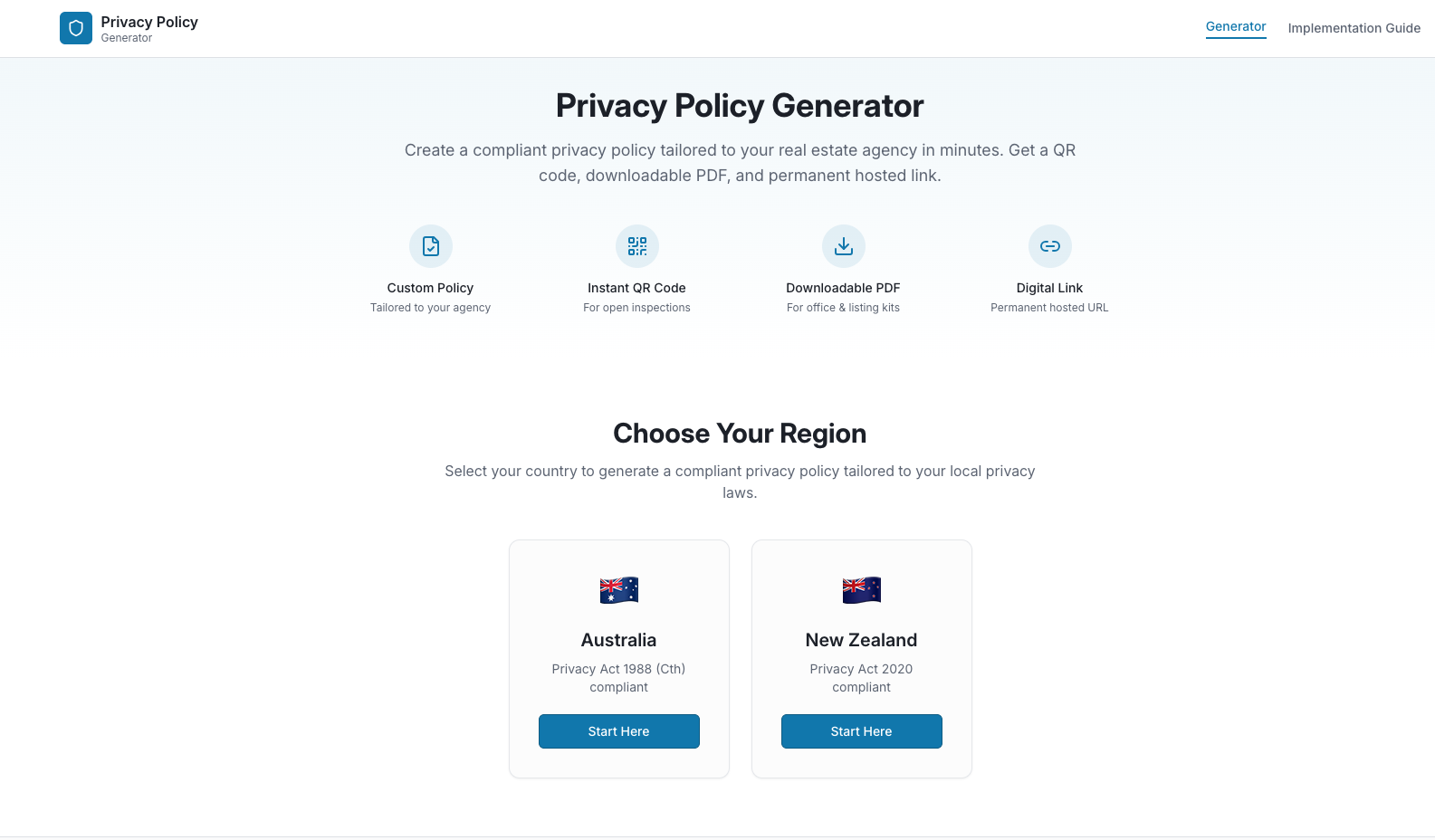
- Visit https://privacy.app-prop.tech/
Start by selecting your region
Australia
New Zealand
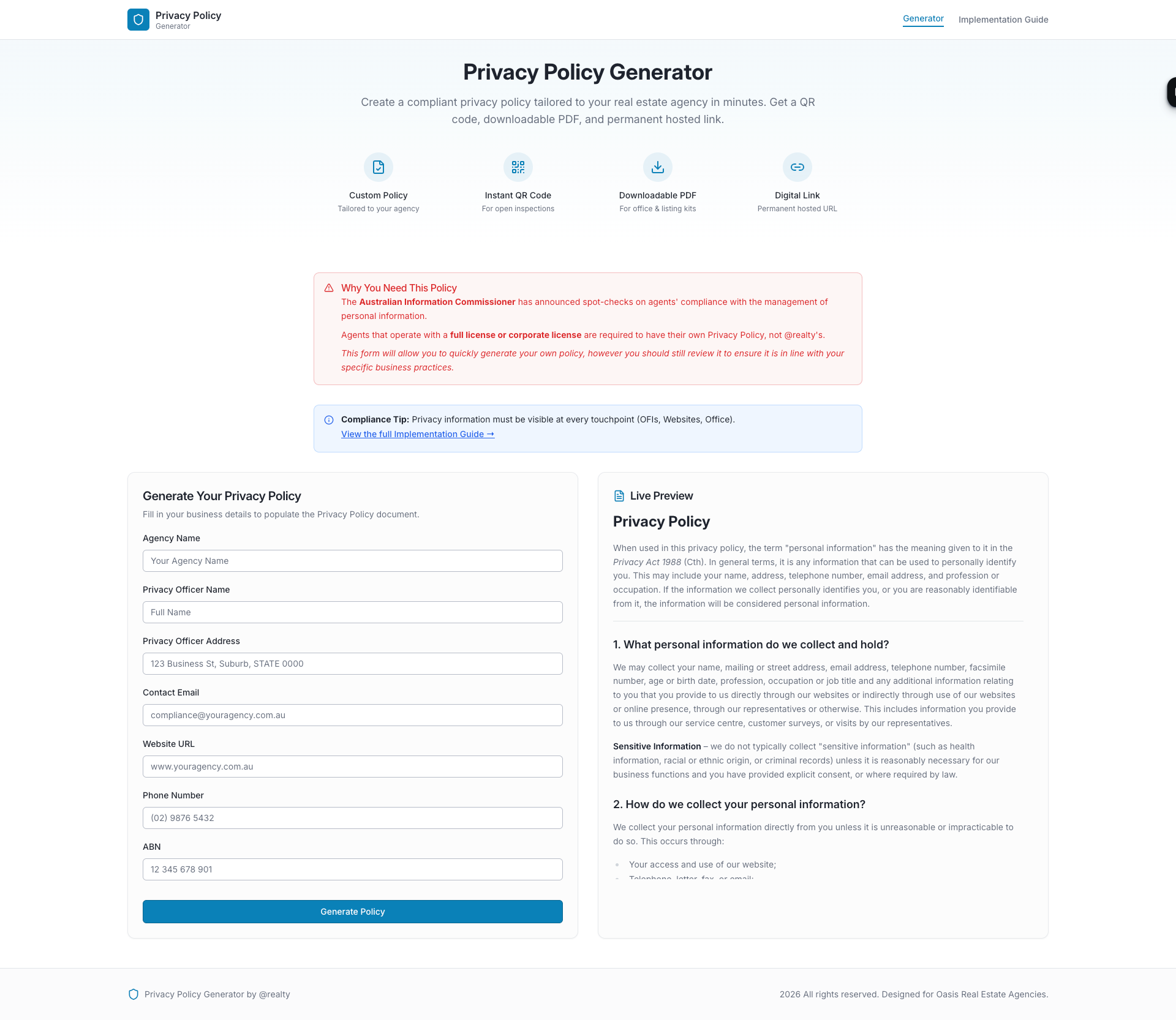
Fill in business details to populate the Privacy Policy document.
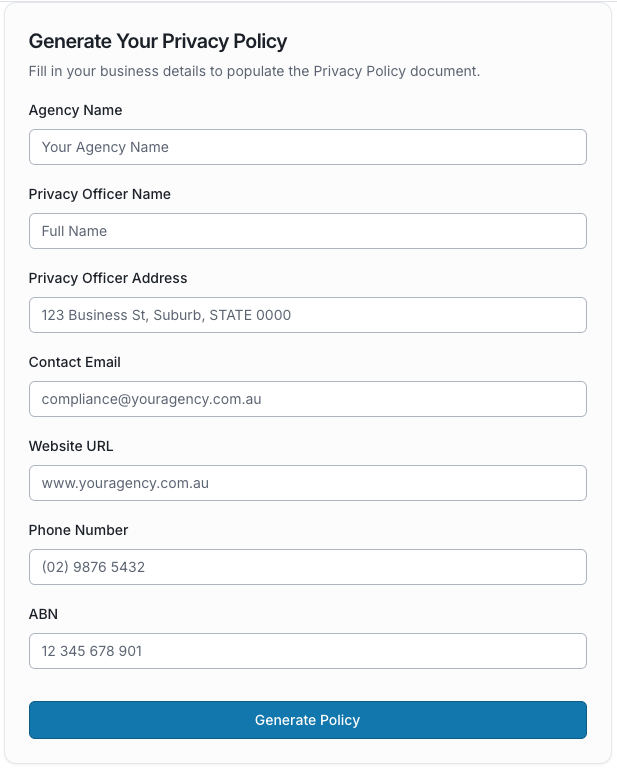
Click Generate policy
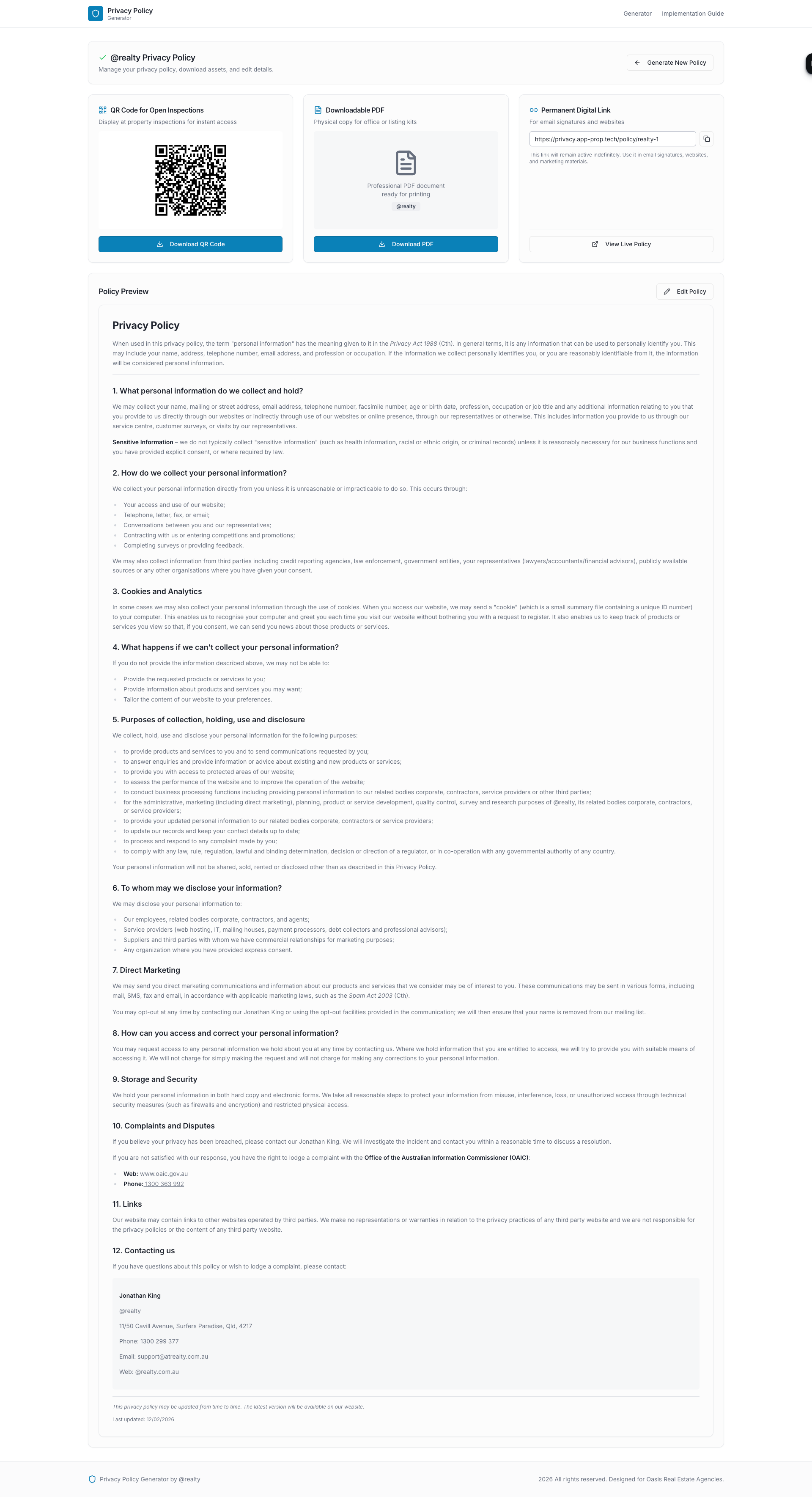
Edit Policy as required and save edited version. (Edit is not specifically required)
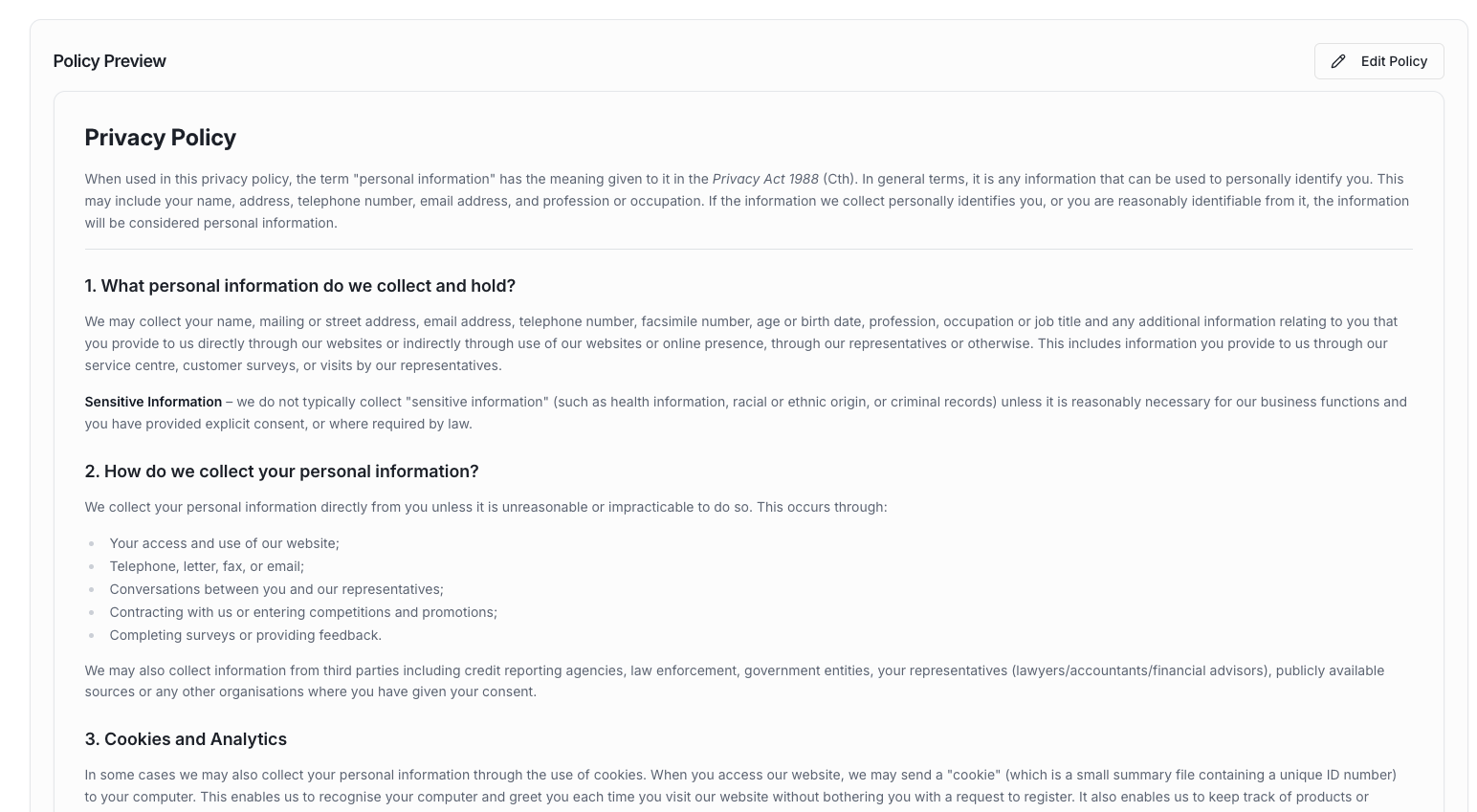
Download the QR Code & PDF.
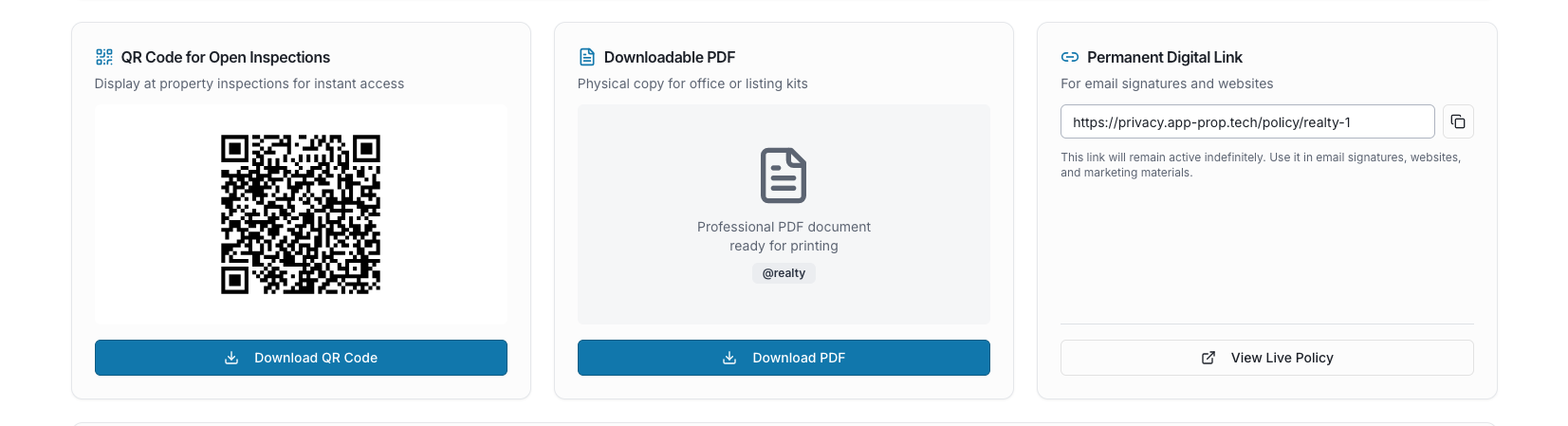
Copy the link to use on your website and other areas you with to link to your privacy policy
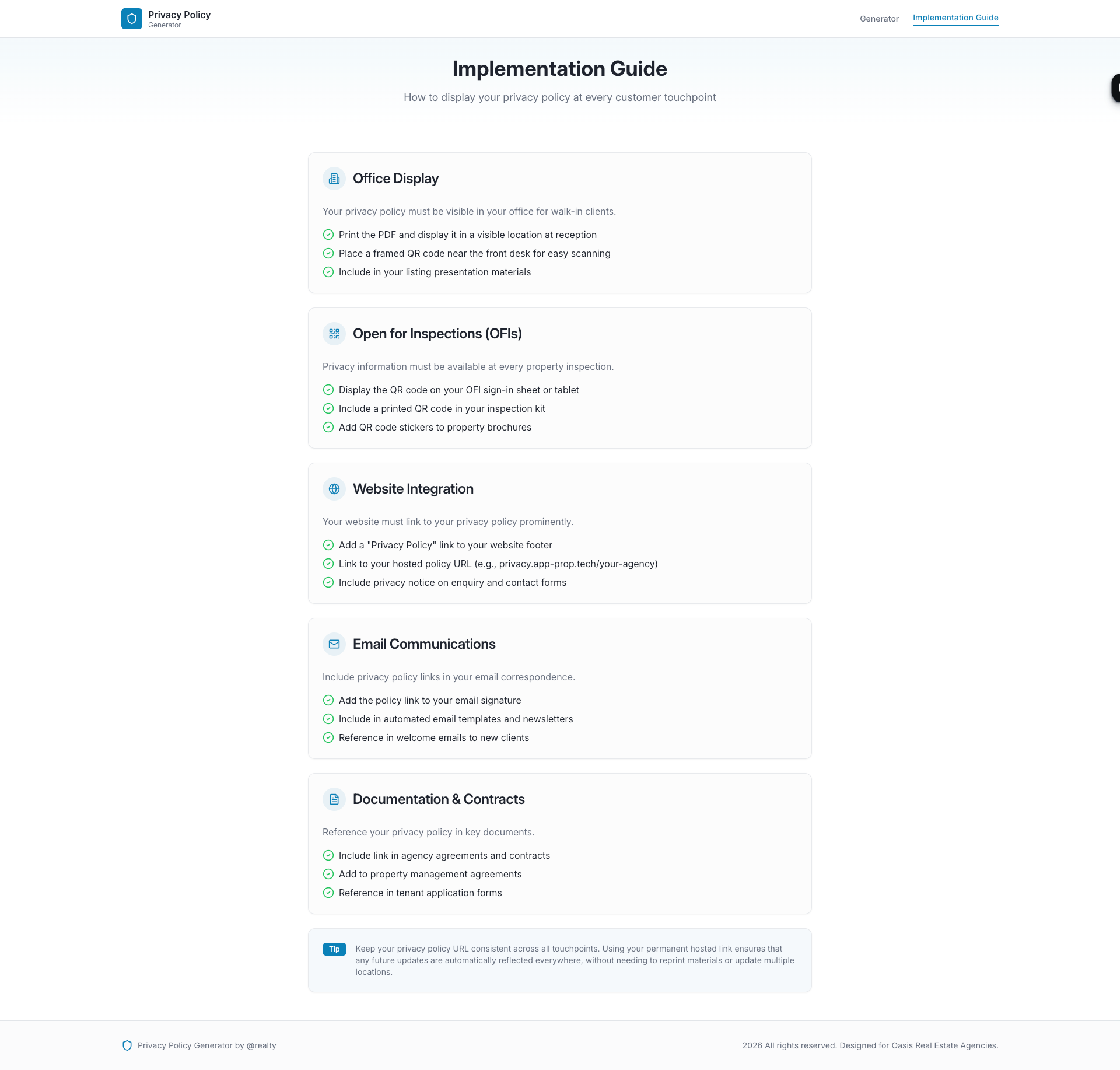
Use your link according to the Implementation guide.
Click Here for a Step-by-Step guide
Was this article helpful?
That’s Great!
Thank you for your feedback
Sorry! We couldn't be helpful
Thank you for your feedback
Feedback sent
We appreciate your effort and will try to fix the article