1. What changed
Previously, New Zealand listings used a single Suburb dropdown (from Trade Me) for all portals.
This caused issues where:
Trade Me required a specific suburb from its own list,
While realestate.co.nz and other portals expected the text suburb from the property's written address.
To fix this:
The original Suburb dropdown has been renamed TradeMe Suburb.
A new Suburb text field has been added.
If the City field is empty on a NZ listing, it now automatically pulls from the Suburb value so realestate.co.nz receives a valid suburb.
1.1. Who this applies to
All New Zealand property listings created or edited in myatrealty.
Agents and admins publishing to Trade Me and realestate.co.nz.
1.2. Where to find the fields
Open a New Zealand property in myatrealty.
Click the Edit icon to open the Property Edit Form.
Check the "Can't find address?" checkbox to reveal manual address fields.
In the Address Fields section you will see:
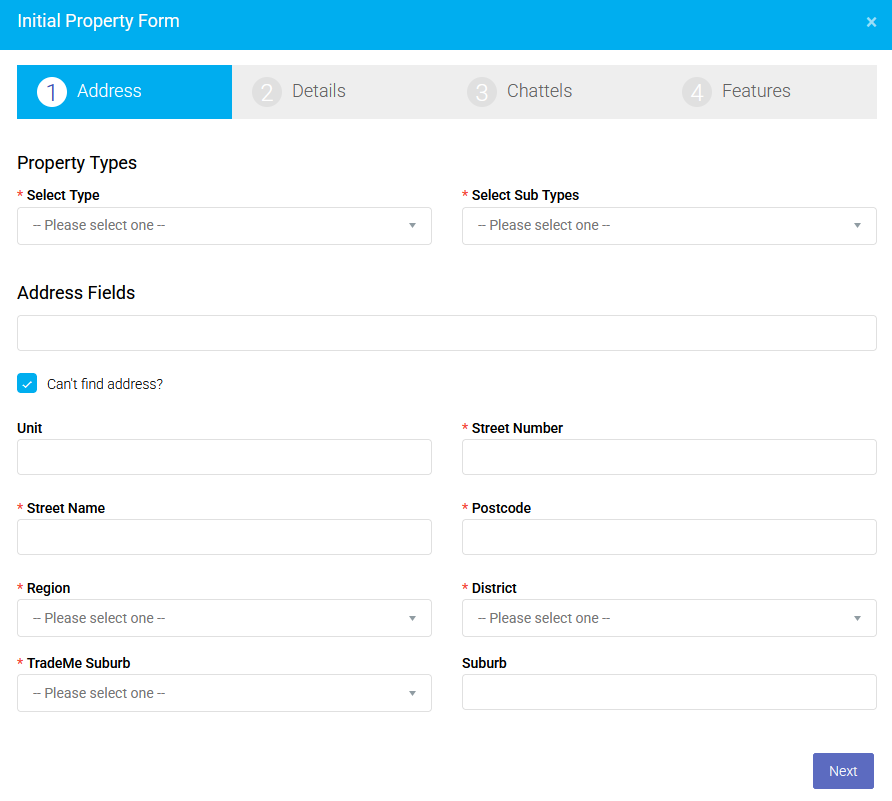
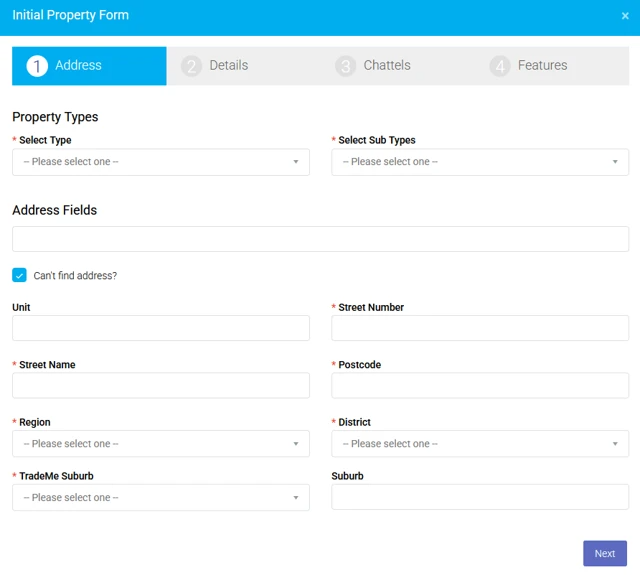
TradeMe Suburb dropdown, Suburb text field in the NZ listing screen.
1.3. How each field is used
TradeMe Suburb (dropdown)
Choose the suburb value required by Trade Me.
The options come from the Trade Me suburb list.
This is what Trade Me checks when you try to set the listing live.
Technical note: mapped to the suburb field in the system.
Suburb (text field)
Type how you want the suburb to appear on realestate.co.nz | Homes for Sale, Rent, Commercial Lease and More and other portals that use the written address.
Usually this matches the suburb in the Google address suggestion.
Technical note: mapped to the city field in the system.
City
Used by some portals as part of the address.
For NZ exports, if City is empty, the system will fill it from Suburb so that realestate.co.nz | Homes for Sale, Rent, Commercial Lease and Morereceives a valid suburb and the listing can go live.
1.4. How to fill the fields correctly (step‑by‑step)
Start typing the address and confirm the suggestion.
Auto-populated fields: Unit, Street Number, Street Name, Postcode,
Region, Suburb (text)Requires manual selection: District, TradeMe Suburb
If everything is filled correctly stop here, if not continue.
In TradeMe Suburb: pick the closest matching suburb from the dropdown list required by Trade Me.
In Suburb (text): type the suburb exactly as you want it to appear (for example, "Milford").
Check Region + District: if blank, choose the correct option (for example, "Auckland").
If left blank, the system will automatically use the Suburb value when exporting to realestate.co.nz | Homes for Sale, Rent, Commercial Lease and More,so the listing can still go live.
1.5. Troubleshooting – listing won't go live due to suburb
Note: The suburb name from Google autocomplete may not match the TradeMe
Suburb dropdown options exactly. For example, "Auckland Central" from Google maps to "City Centre" in TradeMe. Choose the closest match.
Check TradeMe Suburb: ensure a value is selected from the dropdown.
Check Suburb (text): ensure it's not empty and matches the address suburb.
Check City: ensure it's filled correctly, or that Suburb has a value so the system can use it for export.
Save the listing and try setting it live again.
If the issue continues, contact support@atrealty.com.au
1.6. Notes & limitations
These suburb changes apply only to New Zealand properties.
Australian listings continue to use the existing address behaviour.
The logic that fills City from Suburb runs only when City is empty and only for NZ listings.
2. Demo videos
2.1 Example scenarios
Scenario 1 – New NZ listing with missing suburb error
Situation: You create a new NZ listing with address "163 Ohanga Road, Onaero, New Plymouth, Taranaki 4383" from Google autocomplete.
Problem: When you try to go live, realestate.co.nz returns the error:
"The suburb code for the listing 'ListingID' is missing"
Cause: The Suburb text field is empty. Realestate.co.nz requires this field to export correctly.
Fix:
Open the listing and go to the Address/Location section
In Suburb (text field): type "Onaero" (the suburb from the address)
In TradeMe Suburb (dropdown): select the closest match from the Trade Me list
Save and set the listing live again
Result: The listing exports successfully to both Trade Me and realestate.co.nz.
Scenario 2 – City left empty (based on previous behaviour)
Situation: You fill in the address "Suite 22, 8 Dock Street, Auckland Central, Auckland 1010"
Result when saving and exporting:
Was this article helpful?
That’s Great!
Thank you for your feedback
Sorry! We couldn't be helpful
Thank you for your feedback
Feedback sent
We appreciate your effort and will try to fix the article