TABLE OF CONTENTS
What is it?
The header of your Email Marketing Template automatically displays the logo configured for your agent account. This lets your mass email templates use your Mass Email or Co-Brand logo instead of the default @realty logo.
Which logo appears?
The template uses the first available option in this order:
- Mass Email logo - if a Mass Email logo is configured for your account, it takes priority.
- Co-Brand logo - if you have no Mass Email logo and you are a Co-Brand agent, the template uses the Co-Brand logo configured on your agent profile's Operations tab.
- Default @realty logo - if neither of those options is configured, the template uses the default @realty logo.
You do not need to enable the dynamic logo behaviour manually. Other template rows and editing functions continue to work as before.
Check your template header
1. Open Marketing → Email Marketing → Templates in your @realty CRM, or open the Templates page.
2. Open your template and check the header logo. Compare it with the order above. The example below shows a Co-Brand logo in the template builder.
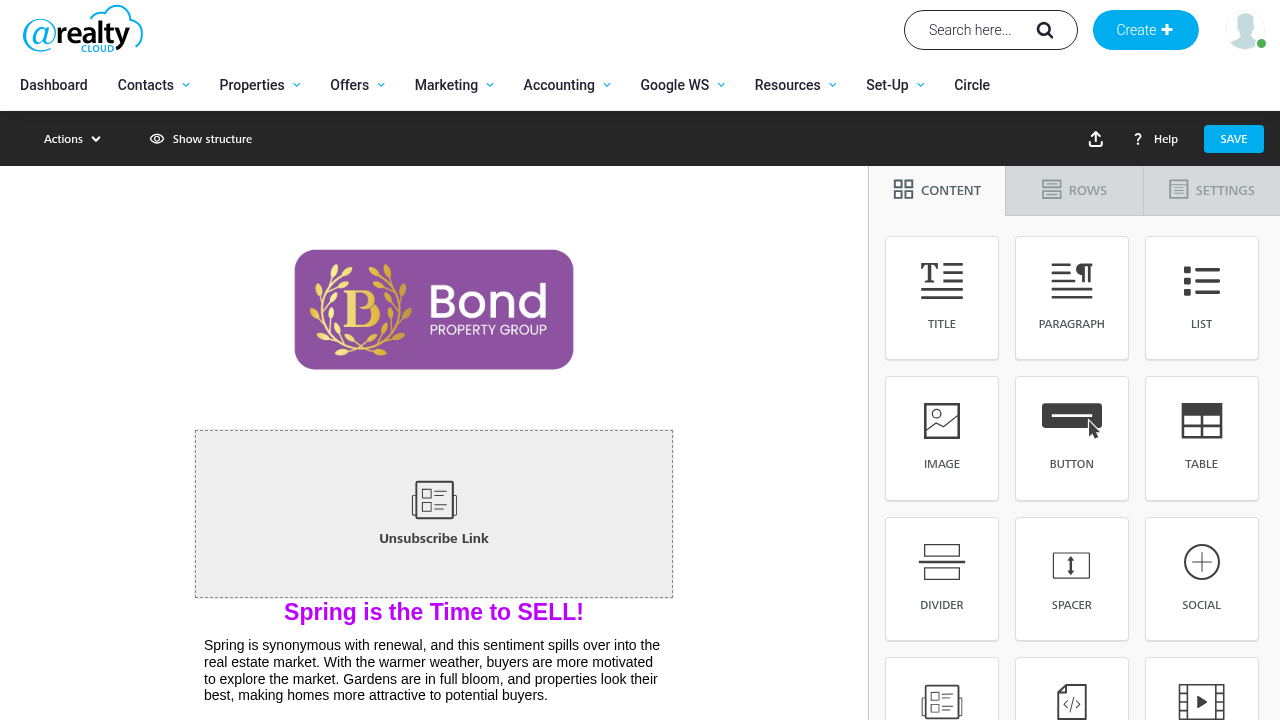
This logo is selected from your account configuration. The example does not require you to replace the logo manually in each template.
OASIS agents
IMPORTANT: The dynamic logo row does not apply to OASIS agents. OASIS templates continue to use their existing behaviour.
Frequently asked questions
I have both a Mass Email logo and a Co-Brand logo. Which one is used?
The Mass Email logo takes priority.
Why am I seeing the default @realty logo?
The default is used when neither a Mass Email logo nor a Co-Brand configuration is available for your account.
Do I need to turn this on?
No. The header reflects your account's logo configuration automatically.
The logo does not match my account configuration. What should I do?
Contact the Support Team at support@atrealty.com.au so your configured logo can be checked.
Was this article helpful?
That’s Great!
Thank you for your feedback
Sorry! We couldn't be helpful
Thank you for your feedback
Feedback sent
We appreciate your effort and will try to fix the article