Every AML deal follows the same three phases: start it in the CRM, answer the questions in the AMLHub app, then hand it over. A deal is not finished until you click Handover — this is the most common reason a deal sits unverified.
Don't have the app yet? See Download the AMLHub ID2 App (Australia).
Phase 1 — CRM to app
- Make sure every person on the title (sellers) or every buyer is a contact in the CRM with a full name, mobile and email. AMLHub contacts them directly using these details.
- Sellers: open the listing and go to the Documents tab. Buyers: the offer must be marked Accepted first, then go to Details → AML.
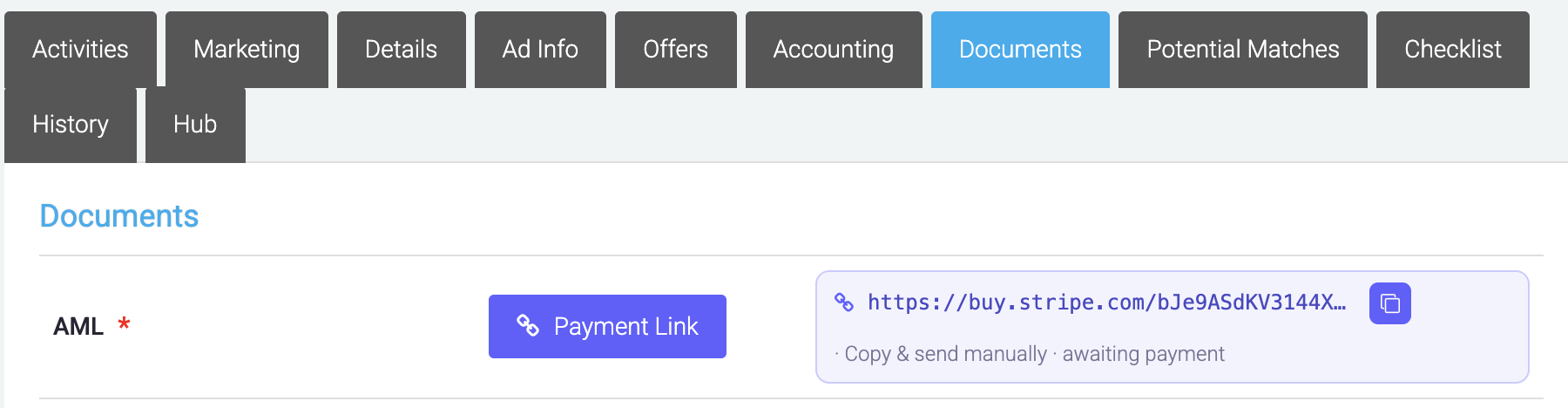
- Arrange payment: generate the payment link and send it to the client, pay it yourself, or (sellers only) add AML Seller Verification to the marketing invoice.
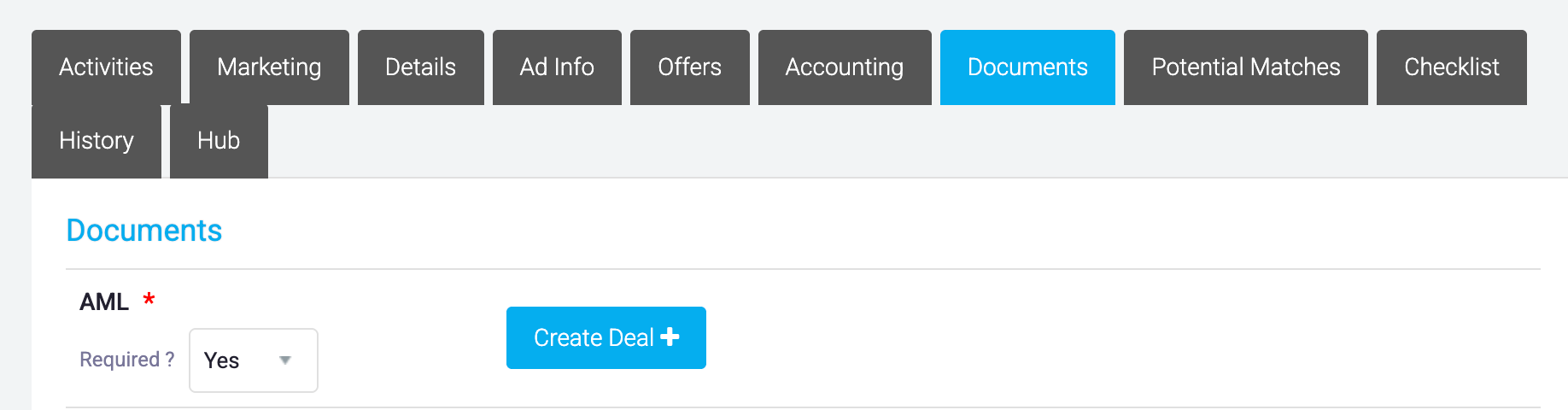
- Once payment clears, click Create AML Hub Deal, select every party to the transaction and submit. The AML row changes to Submitted.
- Open the AMLHub app. The deal now appears under Active Deals.
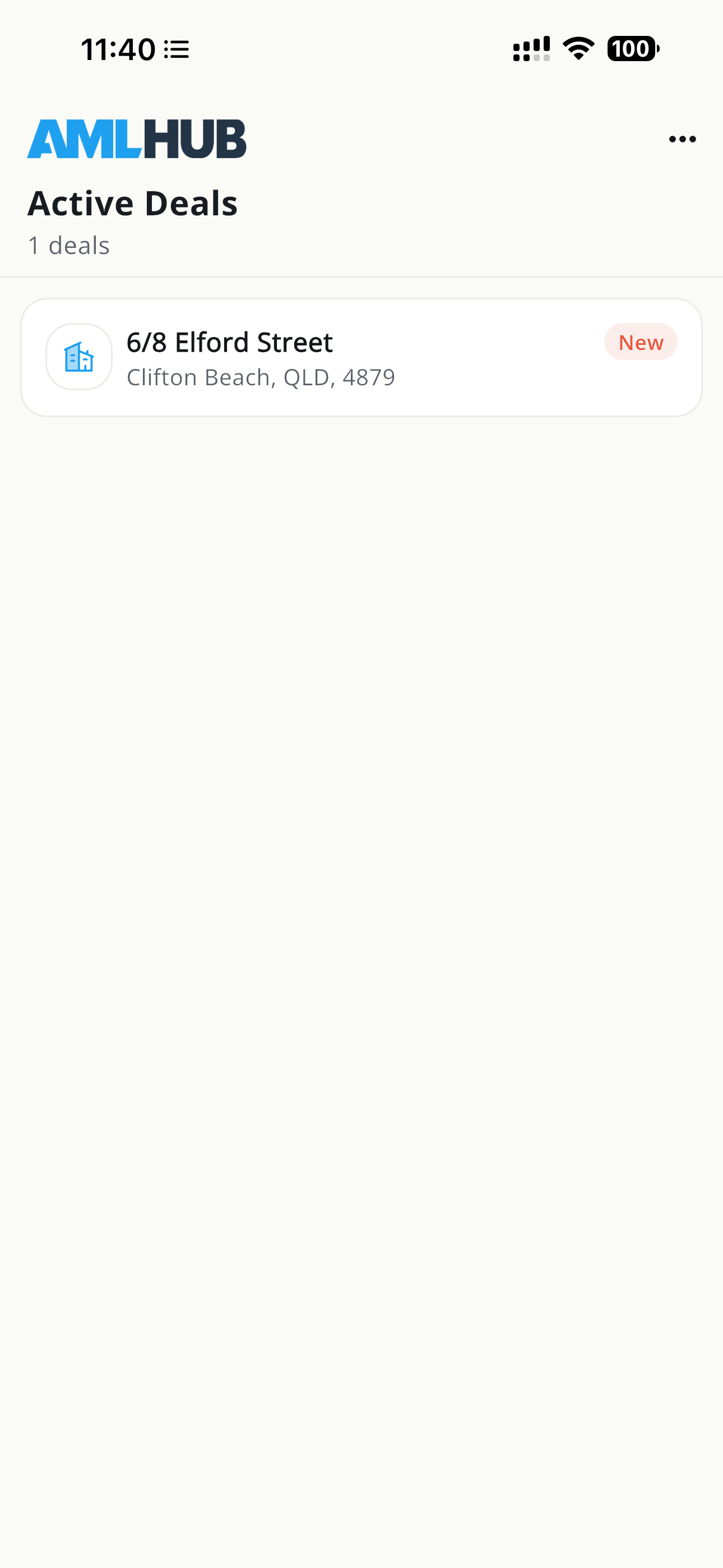
You can't create a deal from inside the app — it must start in the CRM.
Phase 2 — Answer the questions in the app
Do this with your client if you can. The CRM only sends names and contact details; everything else comes from you.
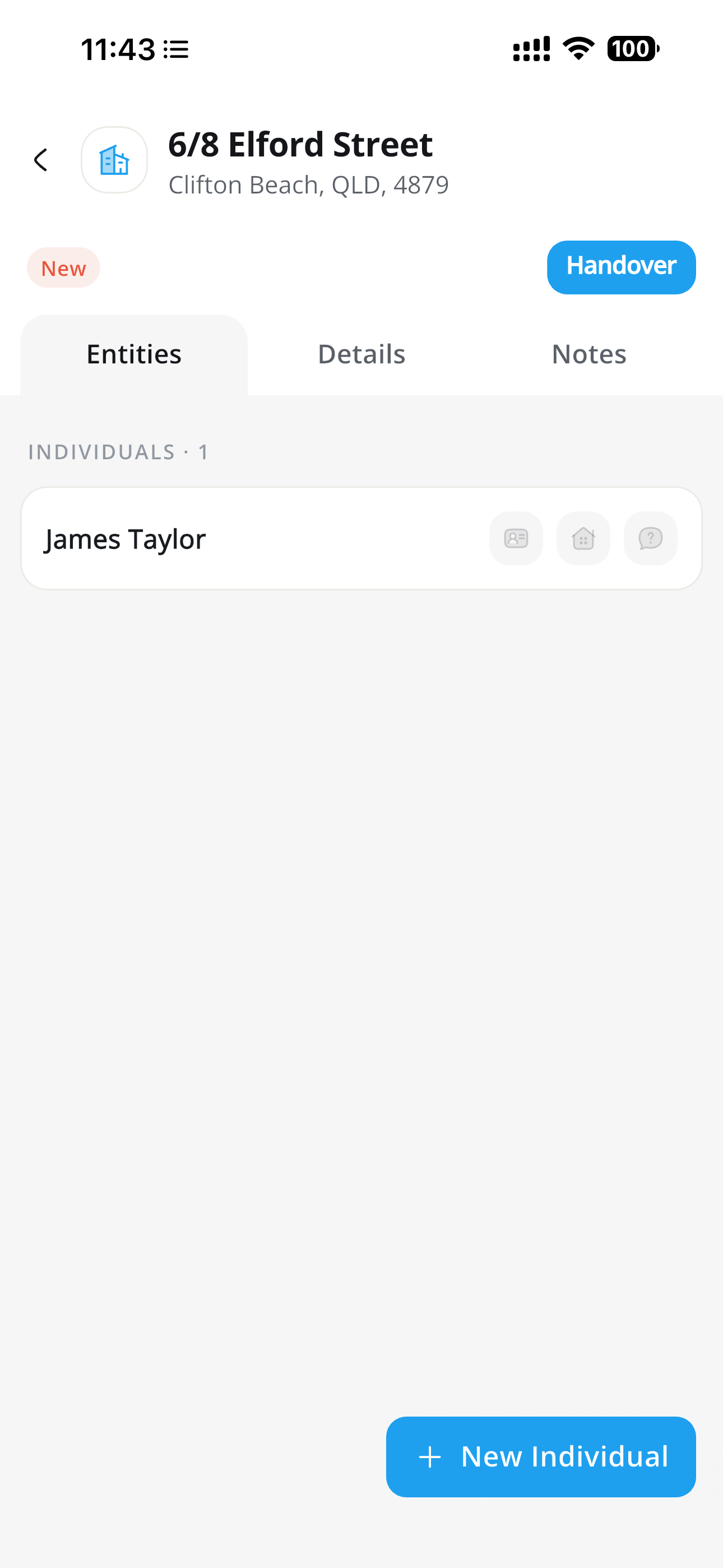
- Check the structure. Open the deal. The Entities tab lists everyone linked to it. If the owner is a company or trust, see AML for Trusts and Companies before going further.
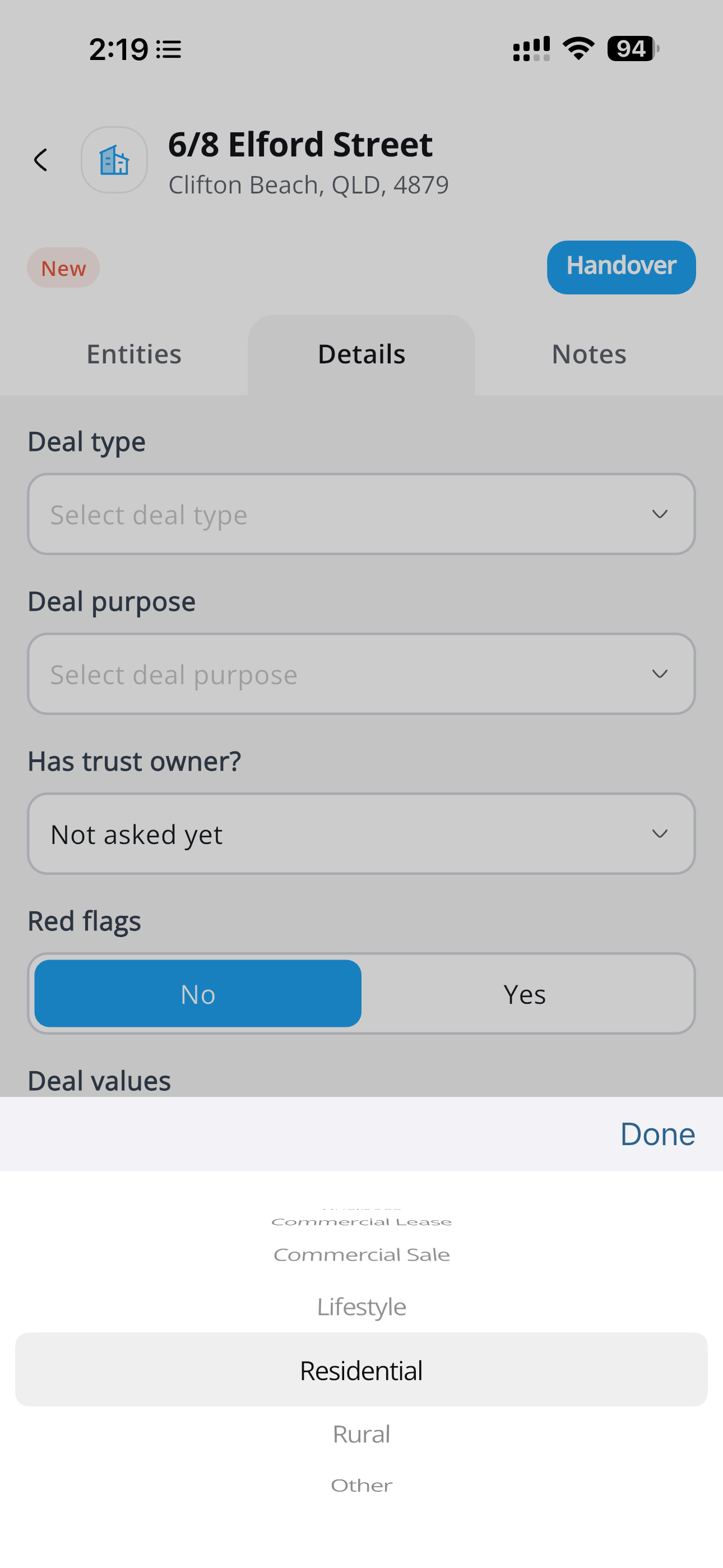
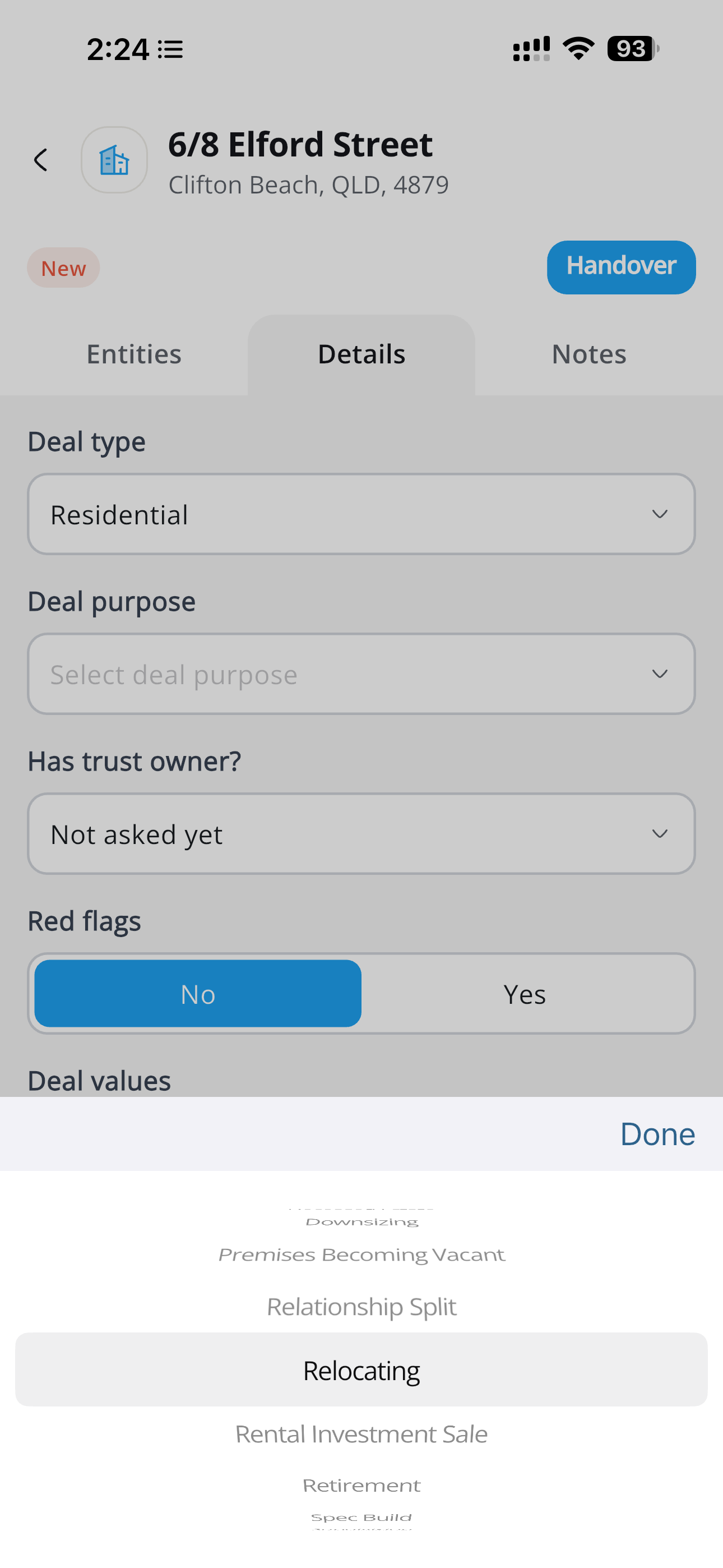
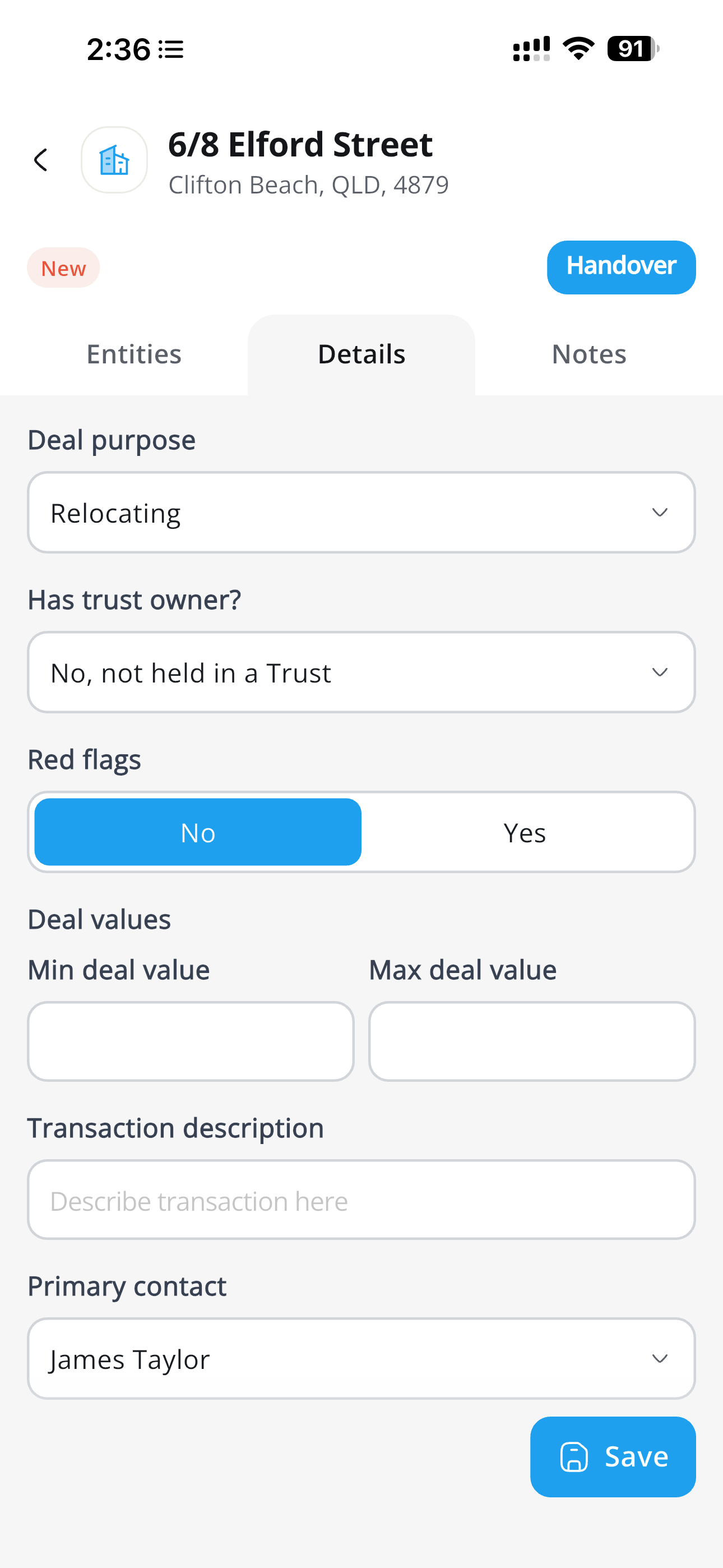
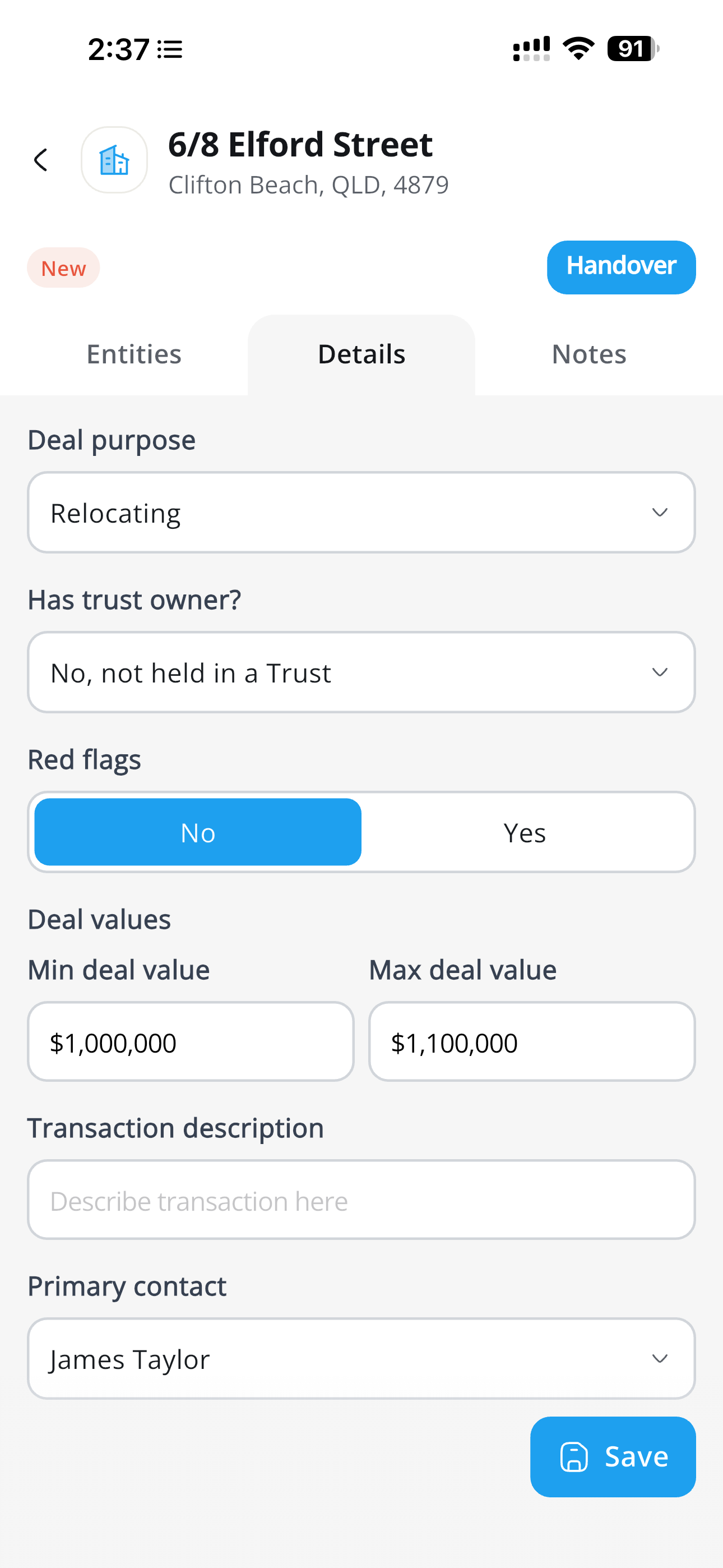
- Deal details (Details tab): choose the Deal type (Business, Commercial Lease, Commercial Sale, Lifestyle, Residential, Rural, Other) and Deal purpose (e.g. Downsizing, Deceased Estate, Relocating, Upsizing), answer Has trust owner? and Red flags, enter the minimum and maximum deal value, pick the primary contact, then click Save.
- Each person: tap each name and complete date of birth, address, ownership type, occupation, payment method, Foreign exposure, PEP and met face to face questions. AMLHub won't verify anyone until the PEP question is answered.
- eChecks: on each person's eChecks tab, run EIV and PEP Check.
- Documents: upload certified photo ID if you have it. For a trust, the trust deed is required.
- Risk tab: answer every Client Risk Factor and Deal Risk question. Approval is blocked until every one is answered.
Saving the deal details does not complete the deal. Keep going to Phase 3.
Phase 3 — Handover
- Check every question is answered and every person is listed.
- Tap Handover in the top-right corner of the deal.
- AMLHub reviews the deal and contacts your client if anything is missing. Most standard deals are verified within 1 business day — see AML Turnaround Times and Getting Help.
- The CRM status moves from Submitted to In Progress to Verified, and you get an email when it's done.
Please don't call AMLHub directly — contact the @realty Support Team on 1300 299 377 or support@atrealty.com.au.
Related articles
Was this article helpful?
That’s Great!
Thank you for your feedback
Sorry! We couldn't be helpful
Thank you for your feedback
Feedback sent
We appreciate your effort and will try to fix the article