Using the AMLHub Mobile App (Australia ONLY)

Modified on Fri, 24 Jul at 2:43 PM

To start using the mobile app for AMLVerifications, you need to download the app:

For Apple download the app from here: https://apps.apple.com/au/app/amlhub-id2/id6755941810


For Android download the app from here: https://play.google.com/store/apps/details?id=com.amlhub.id

One you have downloaded and installed the app you will then need to login to the app using the same google workspace id that you use to log into the @realty CRM. This is your google workspace id.


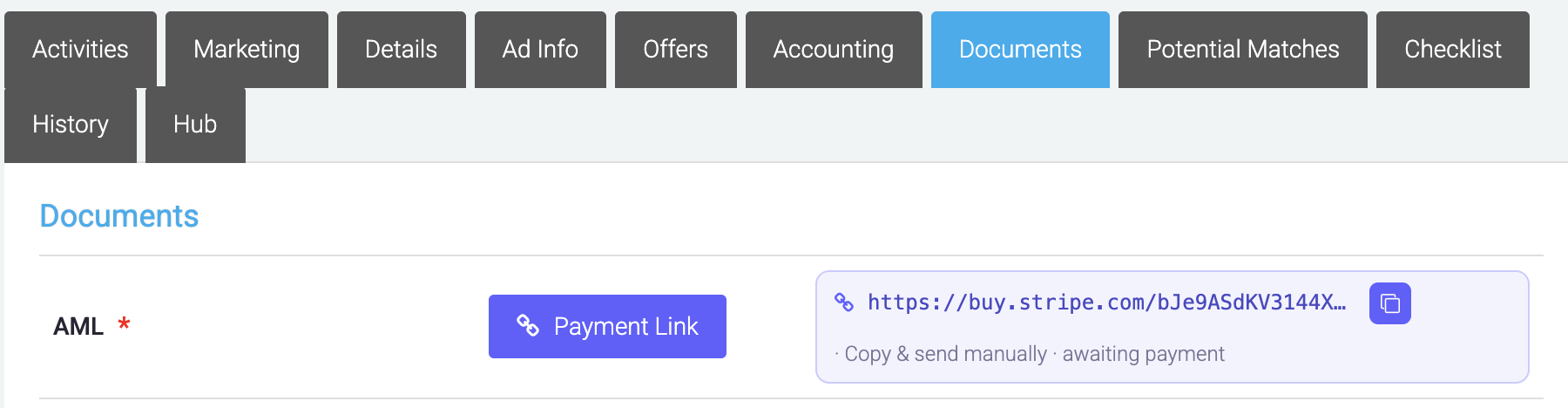
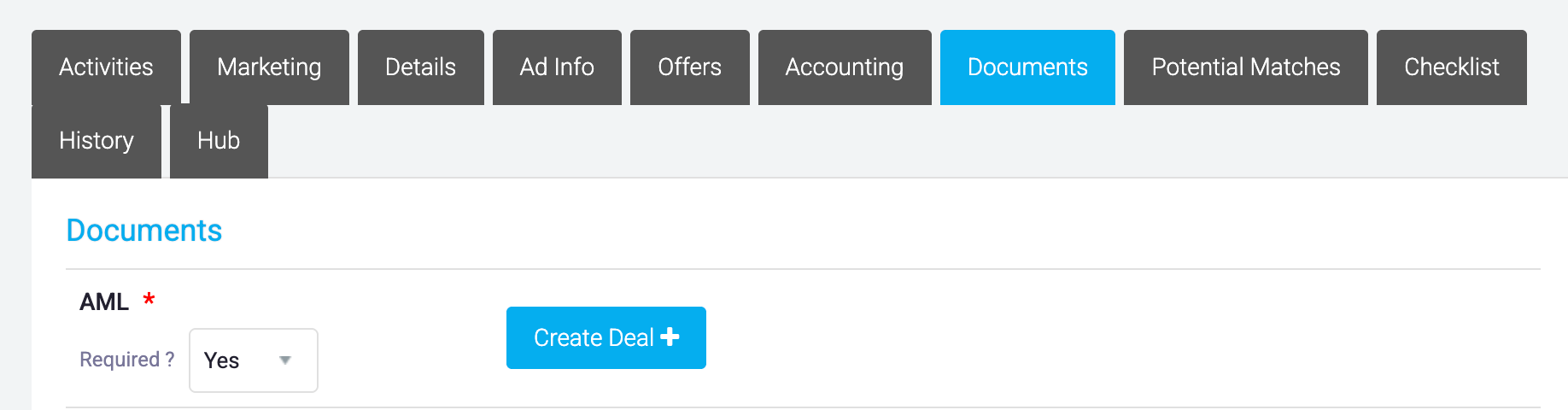
You will not be able to push a listing to the App using the the app. To push a listing to the app go to that listing in the CRM, in the documents tab, you will you will generate the payment link for the AML and send to your vendor for payment unless payment has already been added to marketing funds. 


Once payment has been made, this button will change to "submitted"


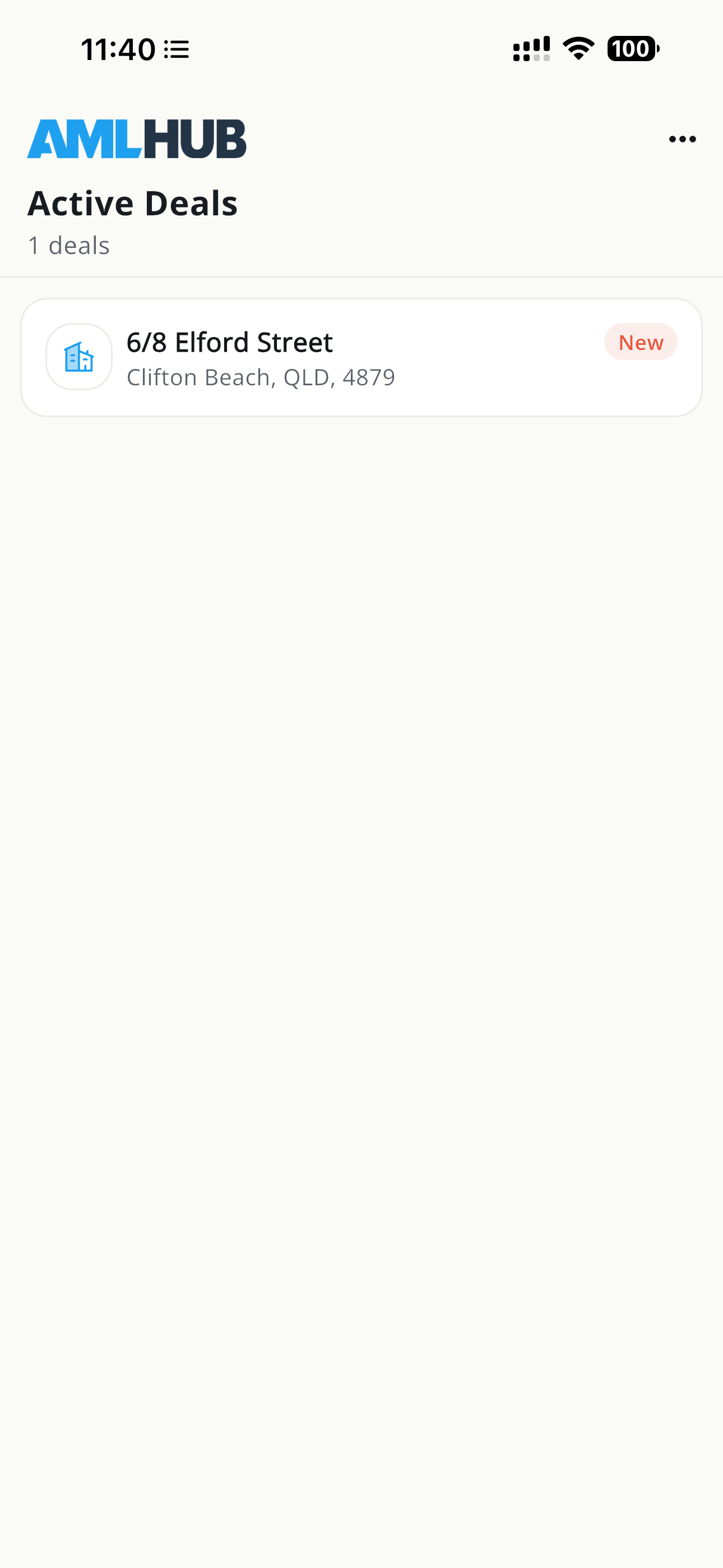
You will now have access to the deal in the AMLHub app dashboard


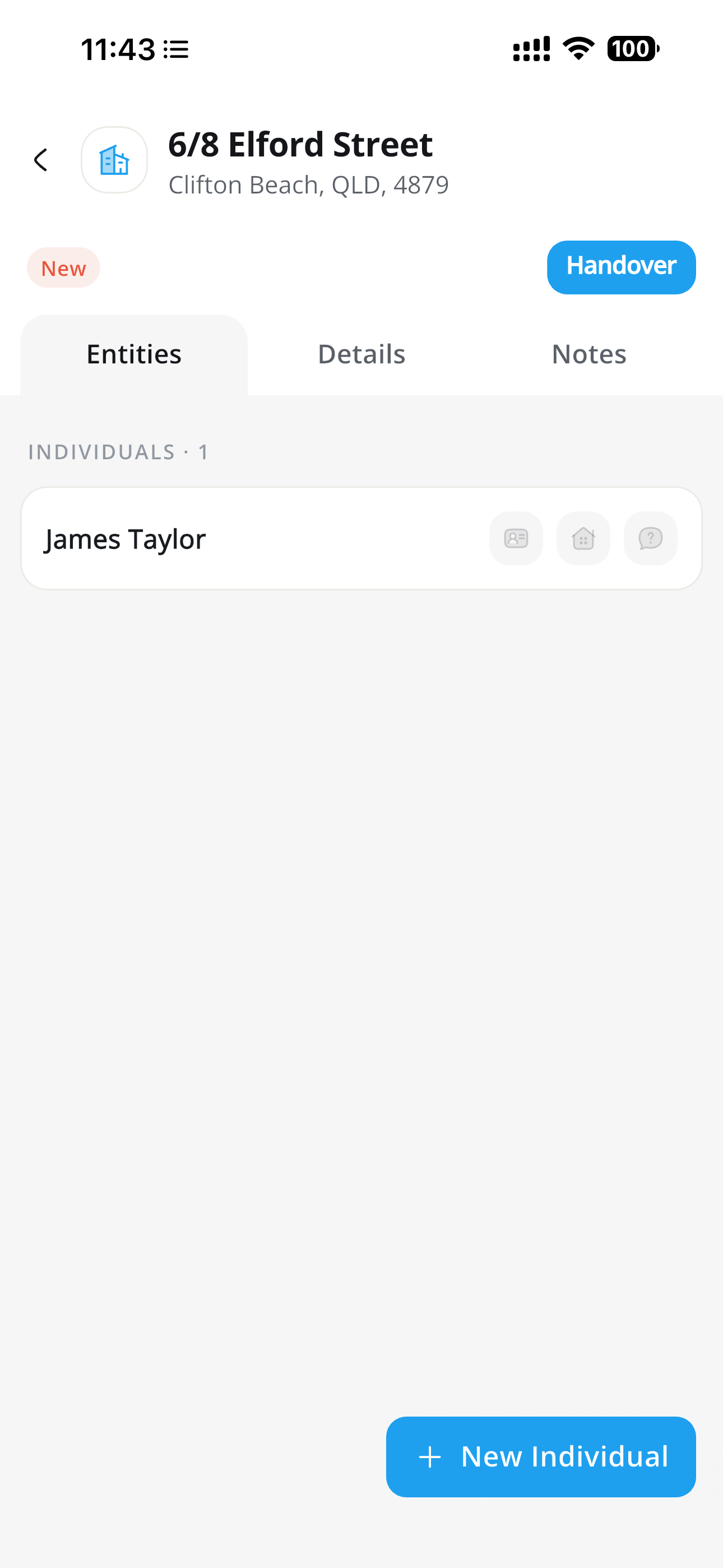
From here you will see any individuals or entities that you have linked to the deal.


 You will be able to view the notes and details and make updates to these as required.


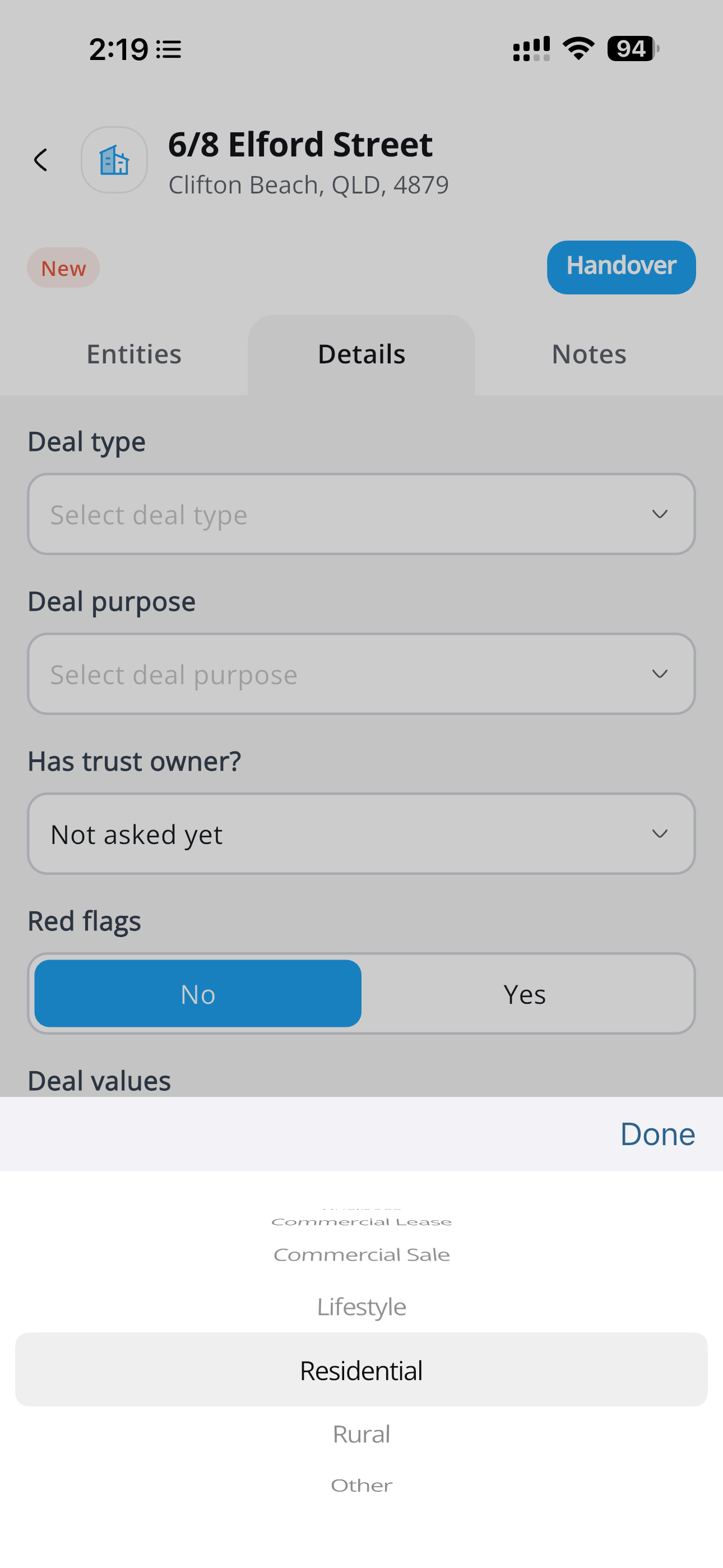
From the deal type you can select from the following fileds:

  • Business
  • Commercial Lease
  • Commercial Sale
  • Lifestyle
  • Residential 
  • Rural
  • Other

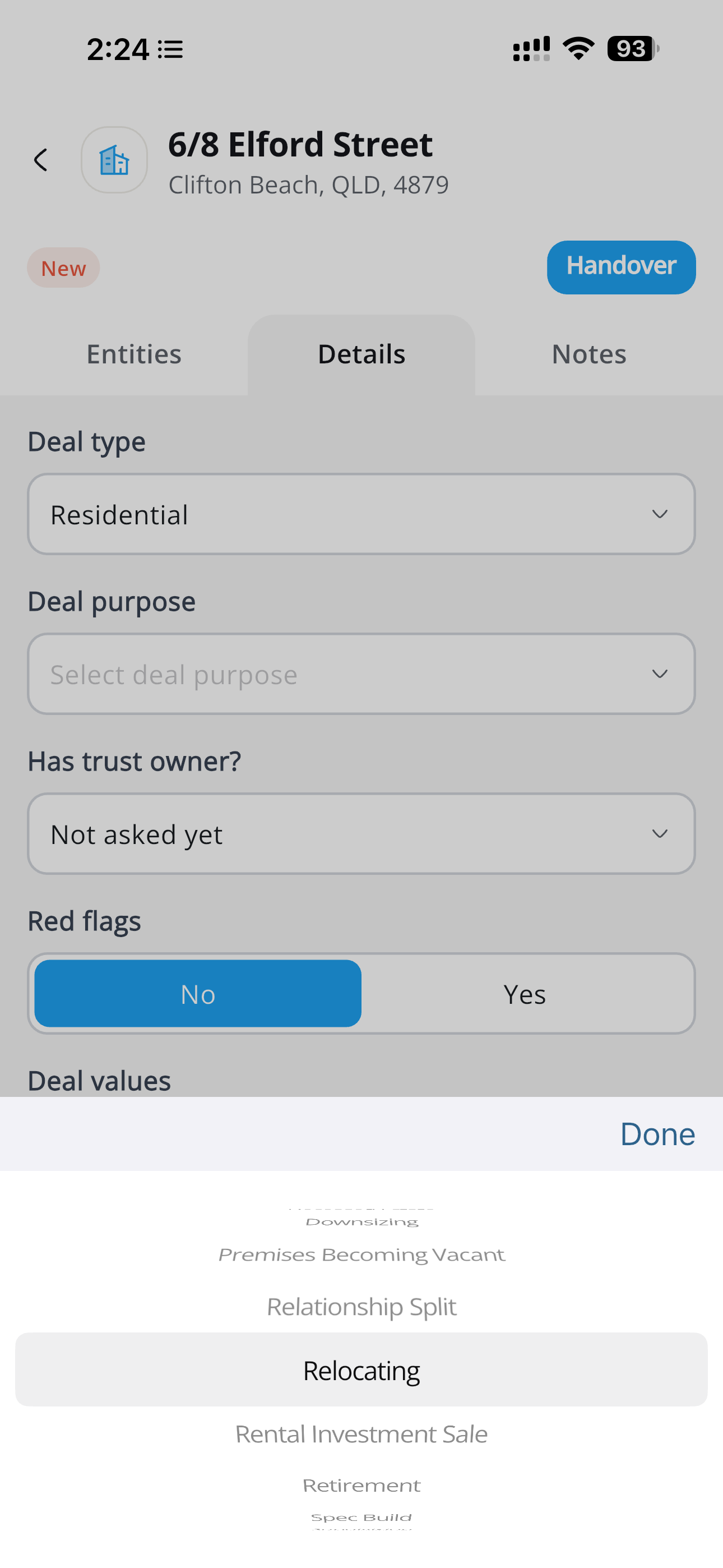
The Deal purpose will allow you to select from:

  • Debt Reduction
  • Deceased Estate
  • Downsizing
  • Premises Becoming Vacant
  • Relationship Split
  • Relocating
  • Rental Investment
  • Retirement
  • Spec Build
  • Subdivision
  • Surplus to Requirement
  • Upsizing
  • Other


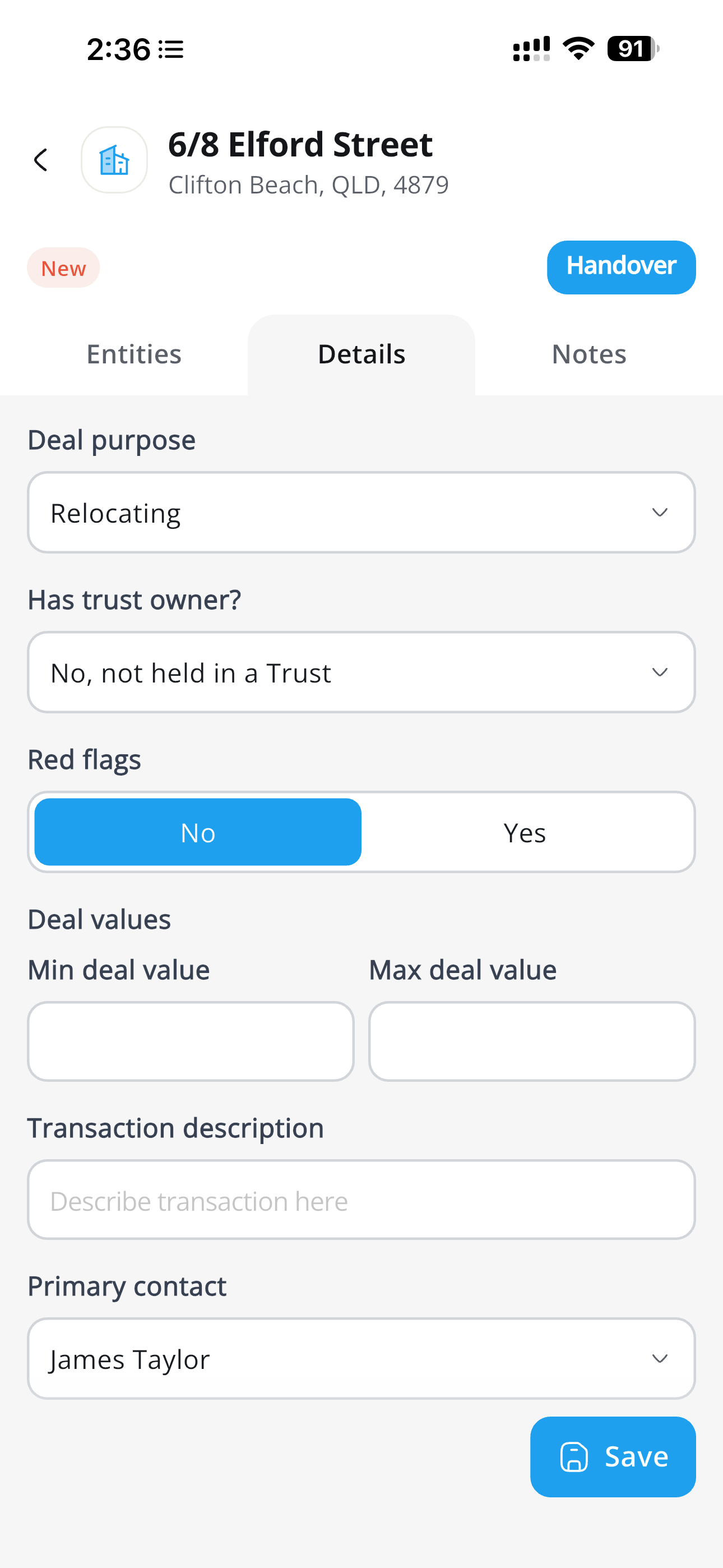
Has trust owner gives you 2 choices:

  • Not Asked
  • Yes, held in a Trust
  • No, not held in a Trust


Red flags is a simple Yes or No, if you select Yes, you will need to add a description for the red flag:


AUSTRAC organises red flags under four risk areas, with indicator lists under each. Here's what AUSTRAC actually lists.


AUSTRAC's real estate red flags, as bulleted lists under their four risk areas.

Customer behaviour

  • Avoids face-to-face meetings
  • Obstructive or secretive in dealings
  • Unusual level of knowledge of AML/CTF requirements
  • Ends the relationship when you ask for more information
  • Appears to be following third-party instructions
  • Seems to know both sides of the sale
  • Buys in the name of a third party, relative or minor with no legal/economic reason
  • Offers higher commissions or fees
  • Asks for shortcuts and rapid transactions
  • Tries to avoid KYC
  • Reluctant to prove identity or gives vague information
  • Documents in an unexpected format, or that seem forged/altered
  • Asks for a sudden change of ownership near settlement with no legitimate reason

Customer profile

  • Lifestyle or transactions inconsistent with what you know about them
  • Large cash purchases with no explained source
  • Adverse media linking them to profit-generating crime
  • Uses a shell company or trust with complex structure/financing, especially for residential purchases
  • Business with little or no trading
  • Buys property inconsistent with their profile (e.g. a charitable trust buying a luxury home)
  • Is a PEP or closely linked to one (foreign PEPs always high-risk)
  • Appears on Australian or UN sanctions lists, or is a close associate of a listed entity
  • Links to higher-risk industries
  • From, or present in, a high-risk country associated with money laundering, terrorism financing, WMD proliferation, corruption or serious fraud

Source of funds or wealth

  • Nervous or reluctant about customer due diligence
  • Can't explain source of funds/wealth, or gives false/misleading information
  • Complex loans or deposits from unusual sources
  • Third-party transfers, private lenders, offshore banks or virtual assets
  • Promissory notes, bills of exchange or other negotiable instruments payable in cash
  • Full or partial cash payment of the purchase price to the agent
  • Renovates and quickly resells with no obvious funding source

Unusual transactions and requests

  • Instructions with no obvious financial purpose
  • Changes instructions repeatedly or in a short period without good reason
  • Asks to hold a deposit in trust longer than needed, then changes the distribution
  • Rapidly buys or sells properties for no clear reason
  • Pays above market value, or accepts below market value
  • Directs sale proceeds to an unrelated third party
  • Back-to-back transactions with rapidly rising prices
  • Title transfers where no money changes hands
  • Pays by a method inconsistent with their profile
  • Suspicious cash activity: depositing cash into the agent's trust then pulling out and requesting a refund by cheque/transfer; paying a deposit in cash or a large one-off cash payment; paying in foreign currency at settlement with no legitimate link to that country
  • Transactions that are unreasonably urgent, outside your normal expertise, unnecessarily complex (raising the customer's taxes/fees), or paid by a third party

Requests for complex arrangements

  • Third parties responsible for all transactions, costs or repayments with no clear reason
  • Asks for title to be transferred to a complex corporate structure instead of the individual buyer

Delivery channel

  • Wants to complete or verify online when it would normally be in person
  • Gives only limited contact options (messaging apps, phone, email)
  • Uses third parties to distance themselves or hide beneficial ownership
  • A different name on the contract than the person you've dealt with
  • Buying a property they haven't inspected

Foreign jurisdiction

  • Offshore legal structures used with no clear reason, or domiciled in a high-risk jurisdiction
  • Foreign tax resident, or based in a high-risk jurisdiction
  • Lives in, or has a company registered in, a tax haven or secrecy jurisdiction
  • Money moving to or from a tax haven, secrecy or high-risk jurisdiction
  • Money sent to or received from a sanctioned country


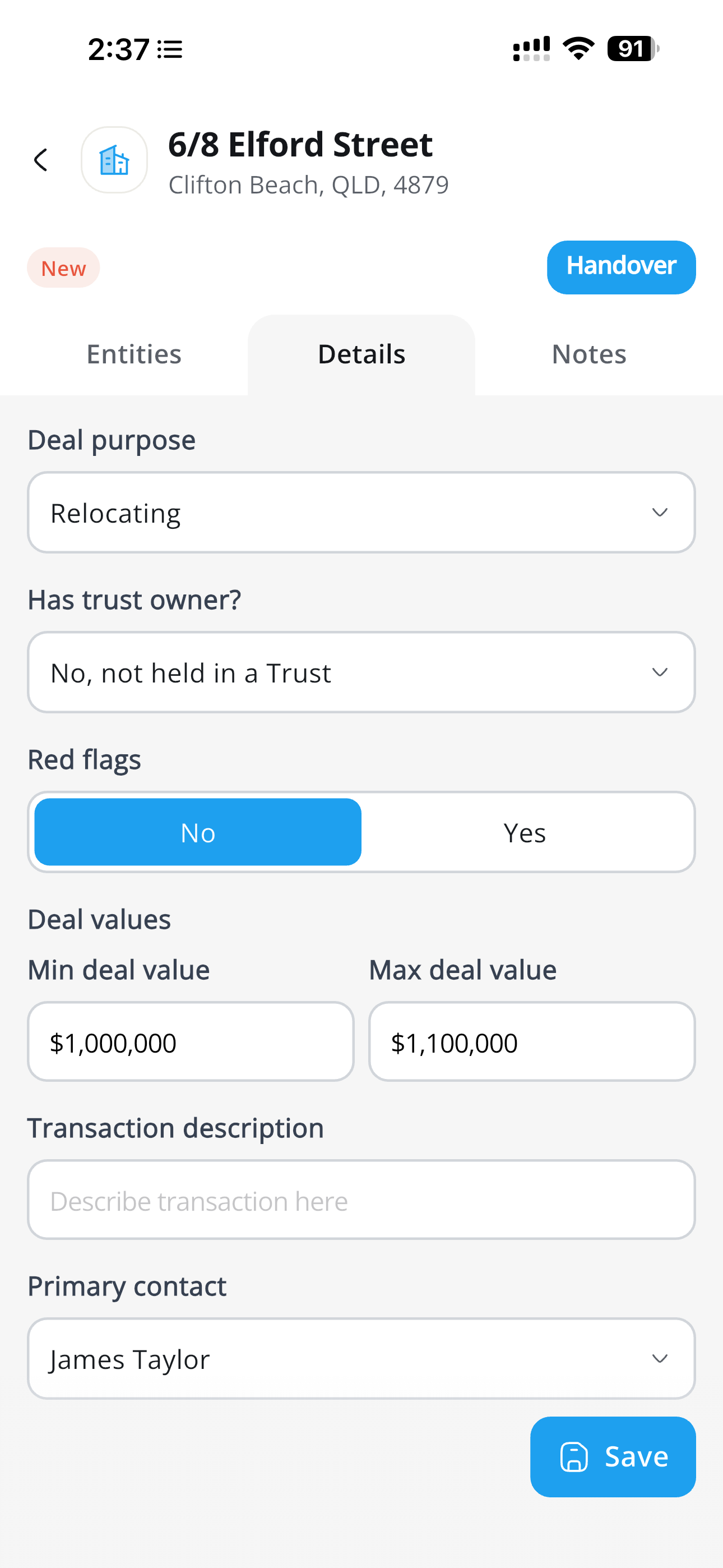
You Then add a deal Value with a minimum and a maximum deal value and any transaction descriptions, and click save.

Was this article helpful?

That’s Great!

Thank you for your feedback

Sorry! We couldn't be helpful

Thank you for your feedback

Let us know how can we improve this article!

Select at least one of the reasons
CAPTCHA verification is required.

Feedback sent

We appreciate your effort and will try to fix the article